
Face Search
How Reverse Face Search Works: A Guide to Facial Search Engines
A clear introduction to reverse face search: how facial embeddings are compared, what publicly indexed photos can reveal, and how CatchAFace approaches responsible visual search.

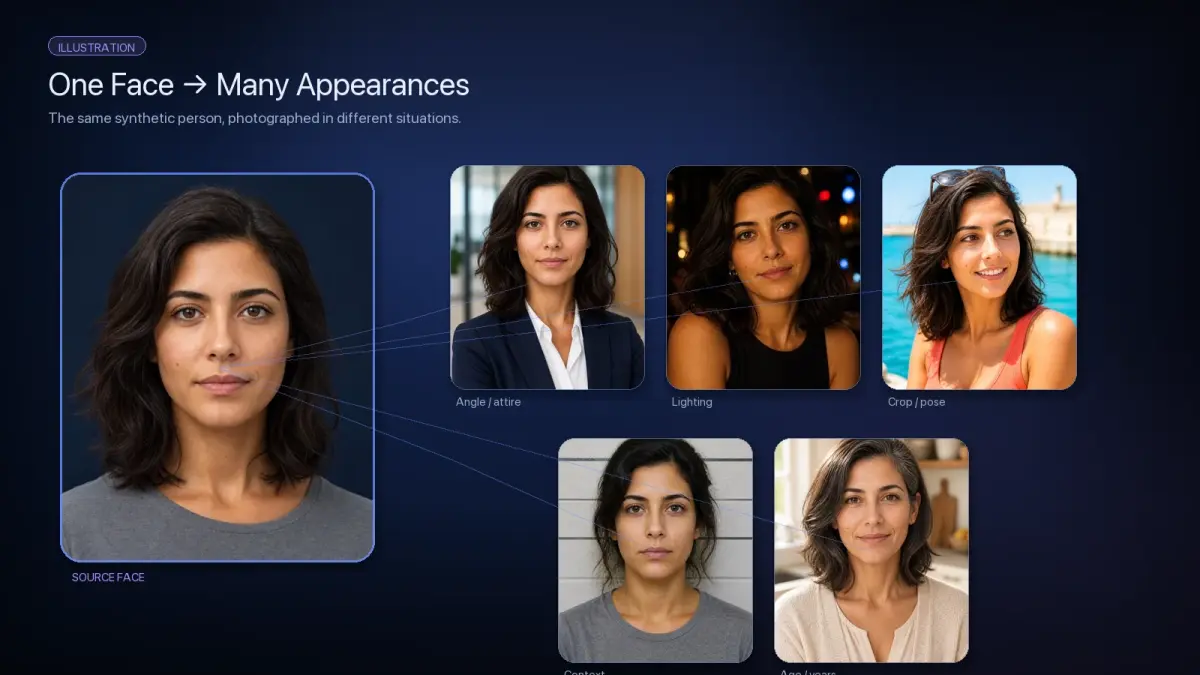
Reverse face search starts with a simple question: where else might this face appear on the public web?
Instead of typing a name, username, or other identifying information into a search box, you begin with a photograph. A facial search engine analyzes the face in that image and compares its visual characteristics with faces found in other indexed images.
The results are then ranked by similarity.
That makes reverse face search fundamentally different from an ordinary web search. The system does not need to know a person's name before looking for visually similar appearances of their face.
But it is equally important to understand what those results mean. Face search can surface useful public information, but a visual match is not the same thing as confirmed identity.
Face search is not the same as reverse image search
Traditional reverse image search primarily tries to find the same image or versions derived from it.
For example, a reverse image engine may locate:
an exact copy of a photograph;
a resized version;
a cropped version;
a recompressed copy;
a version with text or graphics added;
another copy published on a different website.
Reverse face search works differently.
Instead of asking "Where else does this image appear?", it is closer to asking "Where else does a visually similar face appear?"
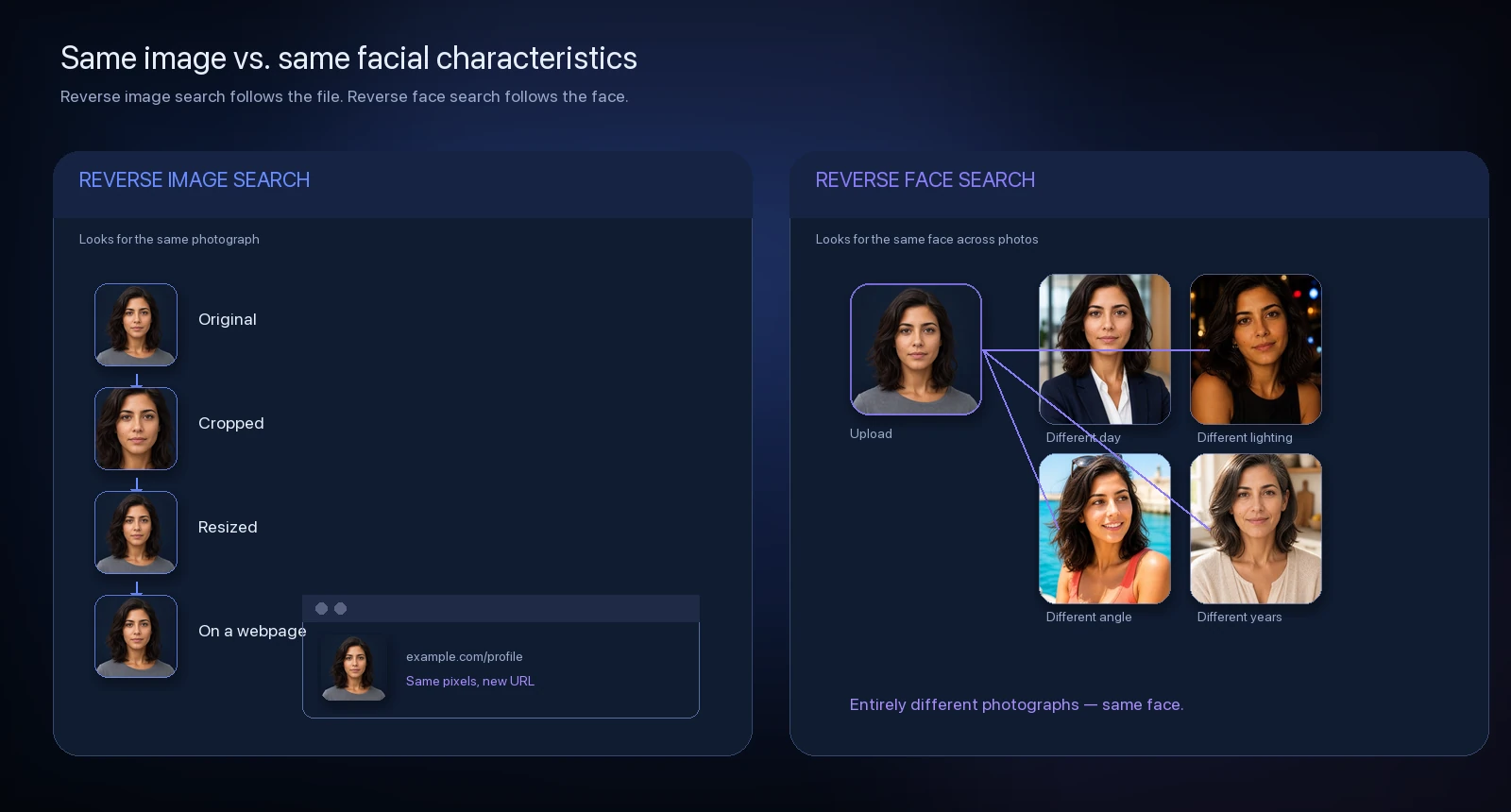
That means a facial search engine may locate an entirely different photograph taken on another day, from another angle, against another background, or under different lighting.
Someone could be wearing glasses in one image and not another. Their hair may have changed. One photograph might be several years older than another.
A traditional reverse image engine might see those as completely unrelated images. A facial search system can still recognize similarities between the faces.
That capability also creates an important limitation: people who look alike can produce similar results.
Reverse face search returns candidates for review, not definitive conclusions about identity.
What happens after you upload a photo
Different facial search engines use different models, databases, ranking systems, and indexing methods, but the basic process generally follows several stages.
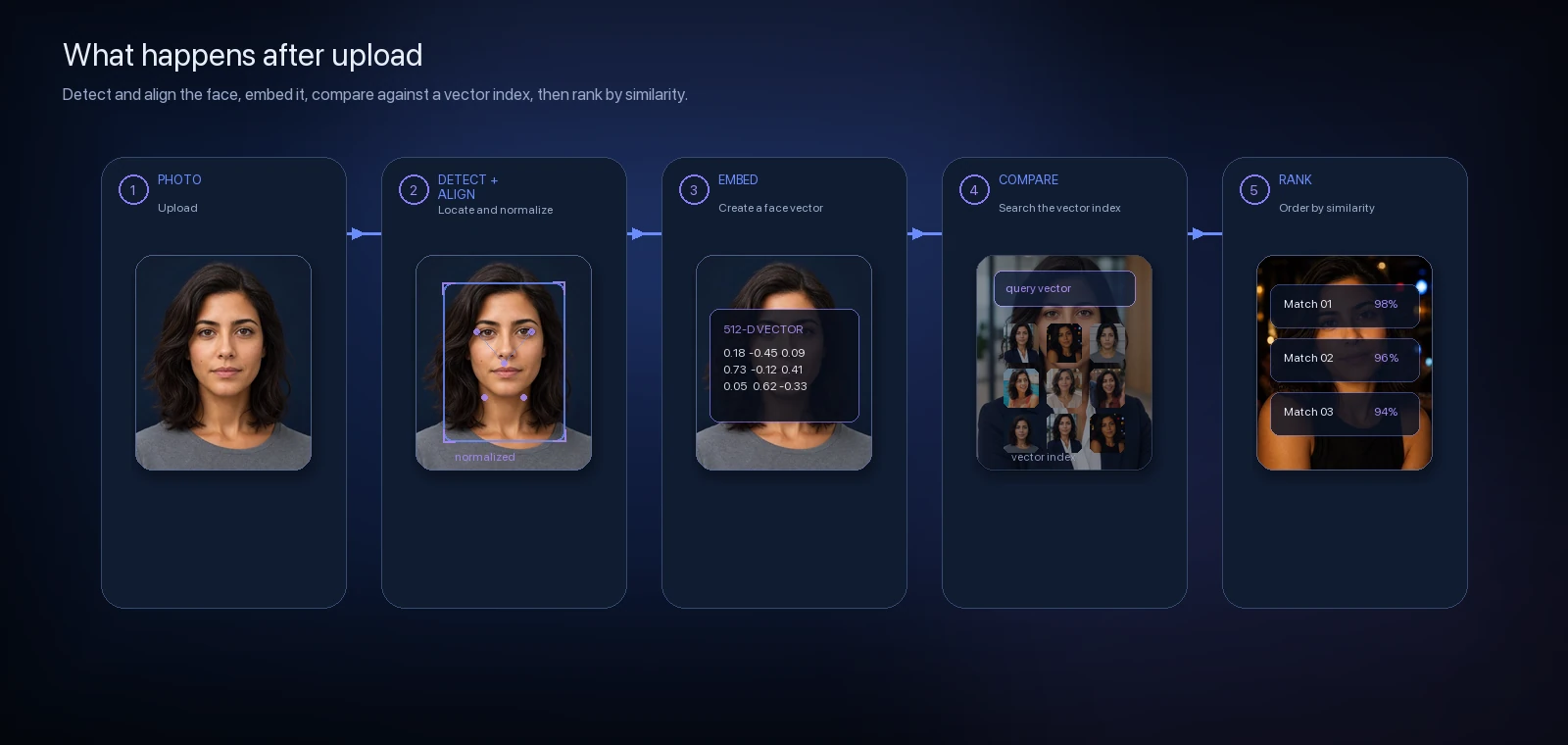
1. The face is detected
The system first determines whether the uploaded image contains a detectable face.
It identifies the region of the photograph containing the face and may locate important facial landmarks such as the eyes, nose, mouth, and overall facial orientation.
This step helps separate the face from irrelevant parts of the image such as clothing, scenery, text, or background objects.
Image quality matters here. A face that is extremely small, blurry, heavily obscured, or turned almost completely away from the camera can be more difficult to analyze.
2. The face is normalized
Faces rarely appear perfectly straight and centered in photographs.
One image may be tilted. Another may be taken from slightly above. Someone might be looking partially to one side.
Before comparing faces, recognition systems commonly align or normalize the detected face so important facial features are positioned more consistently.
This makes the comparison less dependent on exactly how the original photograph was taken.
3. The face becomes a facial embedding
This is one of the most important concepts behind modern facial recognition.
The system does not usually compare photographs pixel by pixel.
Instead, a facial-recognition model converts characteristics of the detected face into a mathematical representation called a facial embedding.
You can think of an embedding as a compact numerical description of the facial characteristics the model considers useful for distinguishing one face from another.
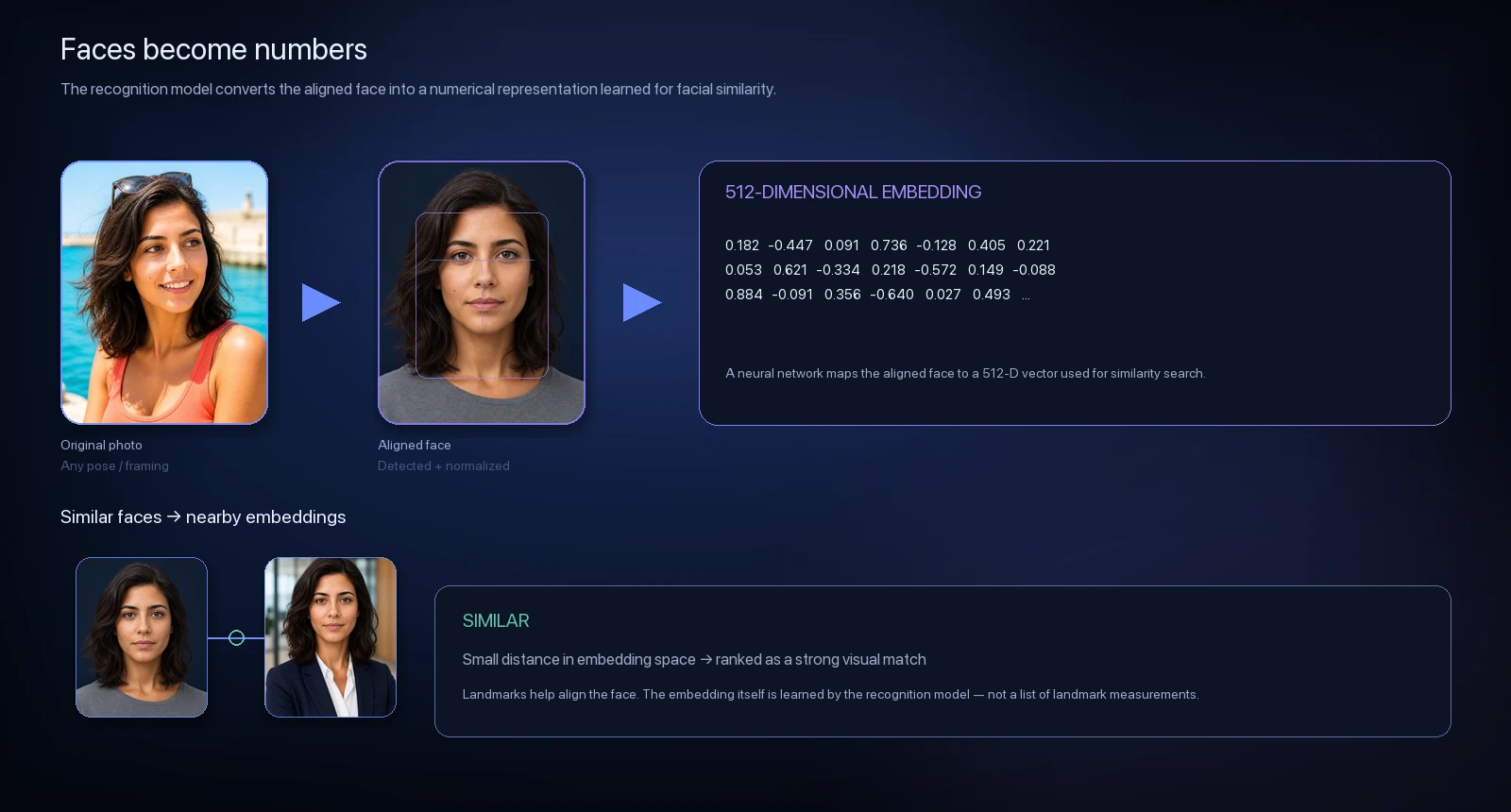
The embedding itself does not look like a photograph. It is a collection of numbers.
Two photographs that appear very different to an ordinary image-matching system can still produce relatively similar facial embeddings if their facial characteristics are similar.
That is what allows a face-search engine to compare a source photograph against different photographs found elsewhere.
4. The embedding is compared with an image index
The facial embedding from the search image can then be compared against embeddings generated from images already available to the search system.
This is where the size and quality of a search engine's index become extremely important.
A facial-recognition model can be excellent, but it cannot return an image that the search engine has never discovered or indexed.
That means two face-search systems using similarly capable recognition technology can return very different results simply because they have access to different collections of publicly discoverable images.
5. Possible matches are ranked
The search engine calculates how visually similar the searched face is to candidate faces in its index.
The strongest candidates generally appear toward the top of the results.
Depending on the service, users may see:
a similarity score;
a confidence category;
the matching image;
the website or page where the image appears;
additional contextual information about the source.

The score is best understood as a similarity measurement, not as a probability that the two photographs depict the same person.
A result showing "95% similarity," for example, should not automatically be interpreted as "There is a 95% chance this is the same person." Those are not necessarily equivalent statements.
What does "publicly indexed" mean?
Face-search engines generally work with images that their systems can discover from publicly accessible parts of the web or through other permitted data sources.
That may include images appearing on:
public webpages;
public profiles;
news articles;
forums;
blogs;
image galleries;
directories;
archived or syndicated webpages;
other publicly reachable pages.
It does not mean the search engine can automatically access private social-media profiles, private messages, password-protected pages, or content that requires authorization the search engine does not have.
And "publicly available" does not necessarily mean an image will appear in every face-search engine. Different engines crawl different sources and maintain different indexes.
Why can different photographs still match?
A useful facial representation is designed to remain reasonably consistent even when photographs differ.
Modern systems may still recognize similarities when there are changes in:
Lighting. One photo may be taken outdoors while another is in a dim room.
Camera angle. A frontal portrait may be compared with a three-quarter view.
Expression. Smiling and neutral photographs can still contain many of the same facial characteristics.
Age. Facial appearance changes over time, but enough underlying structure may remain for an older photograph to produce a useful match.
Glasses or facial hair. Accessories and appearance changes may affect results without necessarily preventing comparison.
Cropping and background. Because the system concentrates on the face, an entirely different background does not necessarily prevent a match.
None of these situations guarantees successful recognition. They simply illustrate why face search can find relationships that ordinary image matching may miss.
What makes a good face-search photo?
For the strongest chance of useful results, start with a photograph where the face is:
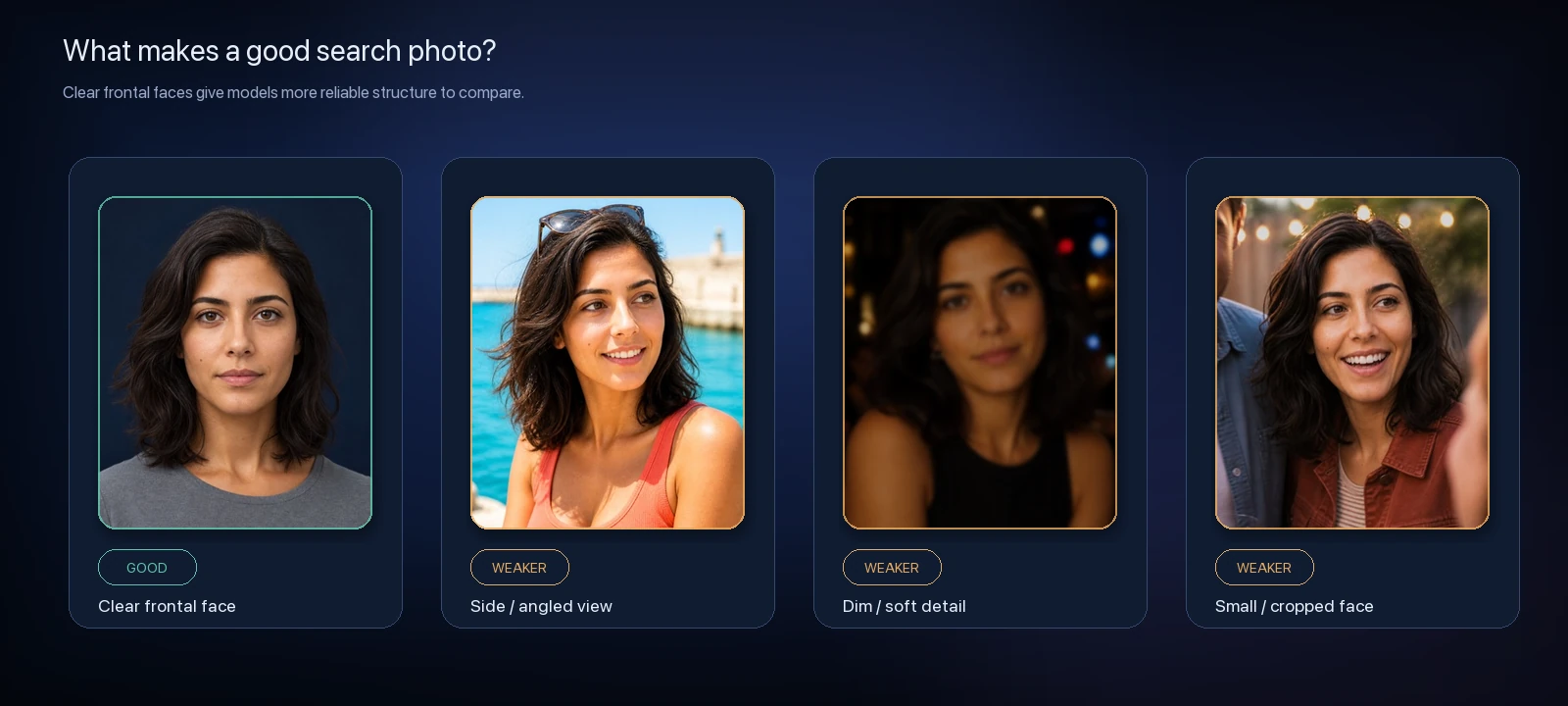
reasonably large in the image;
sharp rather than heavily blurred;
well lit;
mostly unobstructed;
visible from the front or a moderate angle.
A perfect passport-style photograph is not necessarily required.
But if the face occupies only a few pixels in a large group photo, is hidden behind sunglasses and hair, or is severely compressed, there may simply not be enough facial information available for reliable comparison.
Why doesn't face search always find an image that exists?
This is an important limitation.
A facial search system cannot search every image on the internet simultaneously.
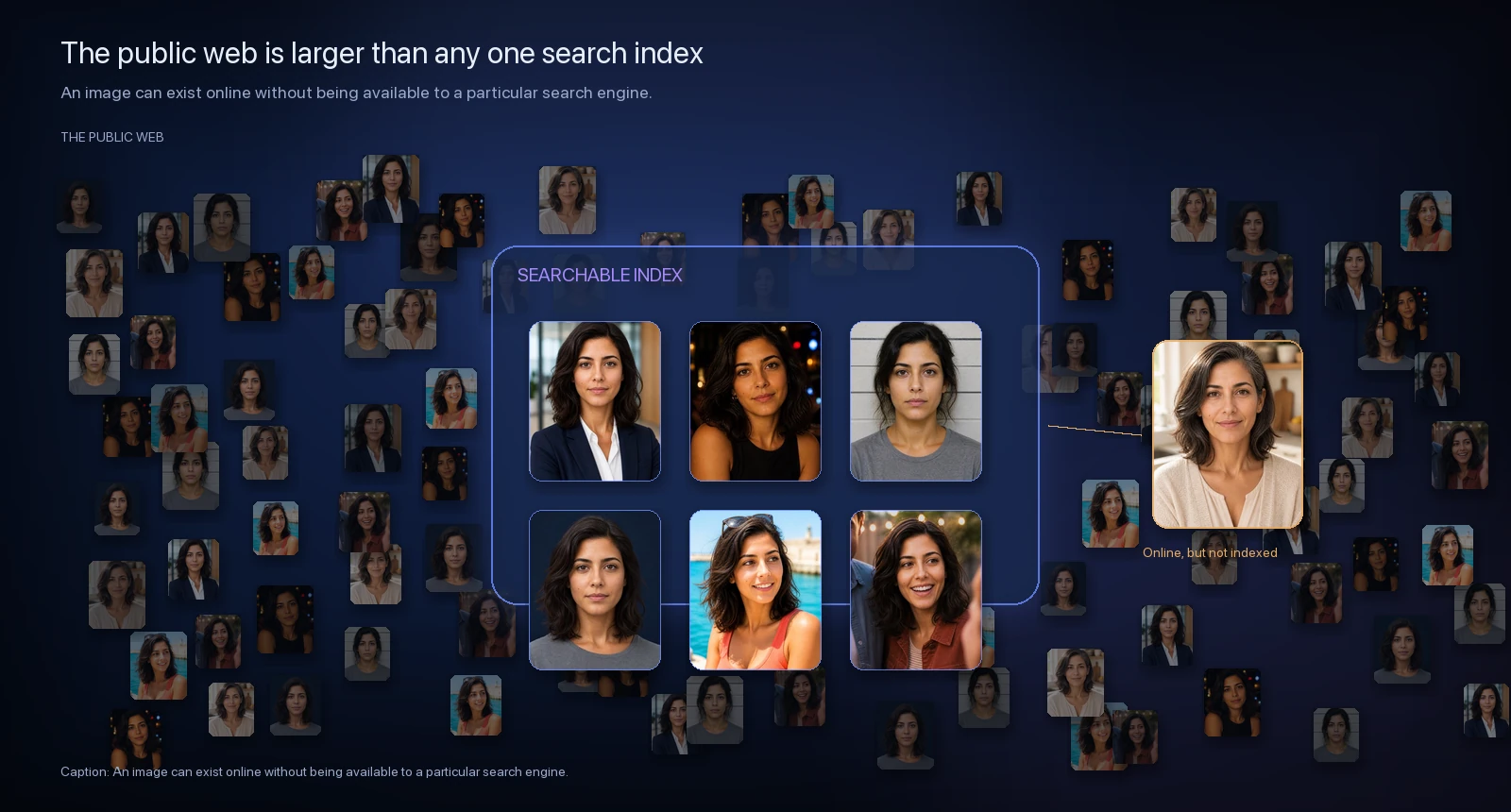
An image you know exists may not appear because:
the search engine has never indexed the page;
the website prevents crawling;
the image was published recently;
the page is private or requires authentication;
the image has been removed;
the face is too small or unclear;
the provider's index simply does not include that source.
For that reason, no results should never be interpreted as proof that no relevant images exist online.
It means the search system did not return a sufficiently similar result from the content available to it at that time.
What reverse face search can tell you
A useful result can show that an image containing a visually similar face appears on a publicly accessible page indexed by the search service.
That can help with things such as:
discovering public appearances of your own photos;
finding possible reposts;
understanding your public image footprint;
locating alternate photographs;
identifying public pages that may be worth reviewing;
researching where visually similar images appear online.
The surrounding webpage often matters just as much as the image itself.
Opening the source can provide context about where the image came from, when it was published, and why it appears there.
What reverse face search cannot tell you
Reverse face search should not be treated as an identity-verification system.
A similarity result does not automatically establish:
that two images depict the same person;
someone's legal identity;
whether a profile is authentic;
someone's intentions;
whether information on a source page is accurate;
whether interacting with someone is safe.
Lookalikes and false positives are possible.
That is why CatchAFace treats search results as information for human review, rather than presenting them as definitive conclusions.
What does a similarity score mean?
Similarity scores deserve particular caution because percentages naturally look authoritative.
The exact meaning depends on the recognition model and how a particular system converts its underlying comparison measurements into a user-facing score.
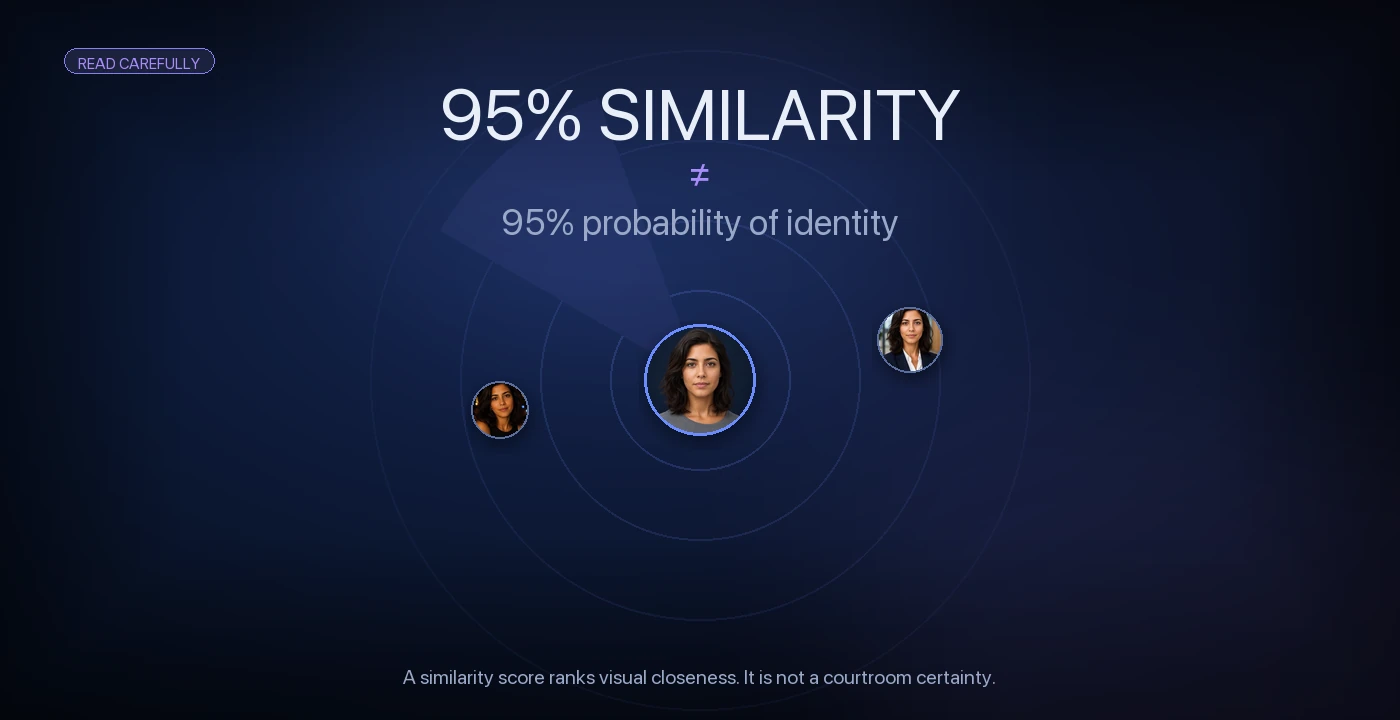
Generally, a higher score means the system found stronger visual similarity between two facial representations.
It does not necessarily mean there is a matching probability that two photos depict the same person.
Two different people can sometimes share sufficiently similar facial characteristics to produce a high-scoring candidate.
Conversely, two photographs of the same person can receive a weaker score because of image quality, pose, aging, obstruction, or other factors.
The most useful approach is to treat the score as a ranking aid. It tells you which results deserve attention first. It does not replace reviewing the image and its source.
Privacy and responsible use
Facial search technology deserves more careful handling than ordinary image search because faces are closely connected with personal identity.
A responsible search should begin with an image you own, are authorized to use, or have a legitimate and lawful reason to review.
Public availability does not eliminate the need for responsible judgment.
CatchAFace is designed around several principles:
search photos are handled with privacy in mind;
results are presented as similarity rather than identity confirmation;
users are expected to search responsibly;
clear boundaries exist around prohibited uses;
removal and opt-out resources are easy to find.
You can read more in our Trust & Responsible Use pages.
Can you remove your face from reverse face search?
Sometimes.
Different providers have very different removal systems.
Some dedicated face-search engines offer direct opt-out mechanisms. General image-search engines usually require you to remove the underlying image from the website hosting it or use a specific privacy or removal process.
CatchAFace maintains Face Search Opt-Out Guides covering services including PimEyes, FaceCheck.ID, Lenso.ai, Google Images, Bing, Yandex Images, TinEye, and Social Catfish.
The exact procedure differs considerably between providers.
And remember: removing a search result is not necessarily the same thing as removing the original image from the internet.
The source website and search engine often require separate action.
A better way to think about reverse face search
Reverse face search is best understood as a discovery tool for the public web.
It can help answer: "Where might visually similar versions of this face appear?"
It cannot definitively answer: "Who is this person?"
That distinction matters.
Strong results provide useful leads for review. Weak results may be lookalikes. Missing results don't prove that something isn't online.
CatchAFace is built around that approach: surface what's publicly discoverable, rank visual similarity clearly, preserve context, and make the limitations just as understandable as the technology itself.
Related Articles
Guides
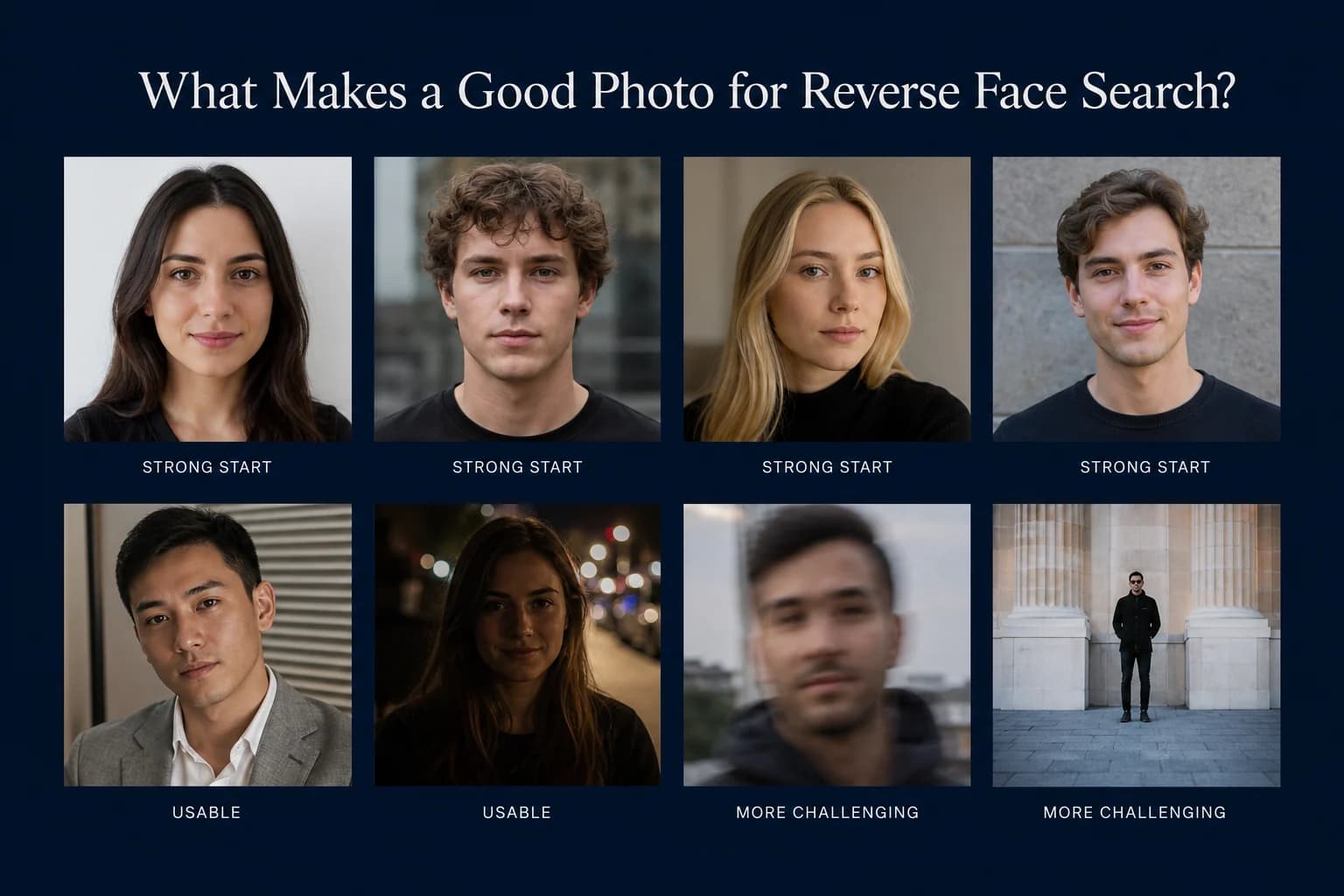
What Makes a Good Photo for Reverse Face Search?
A clear photo gives facial recognition more useful information to compare. Learn which photos make the best starting point for reverse face search — and which common problems can make searching harder.
7 min read
Guides
How to Find Where Your Photos Appear Online
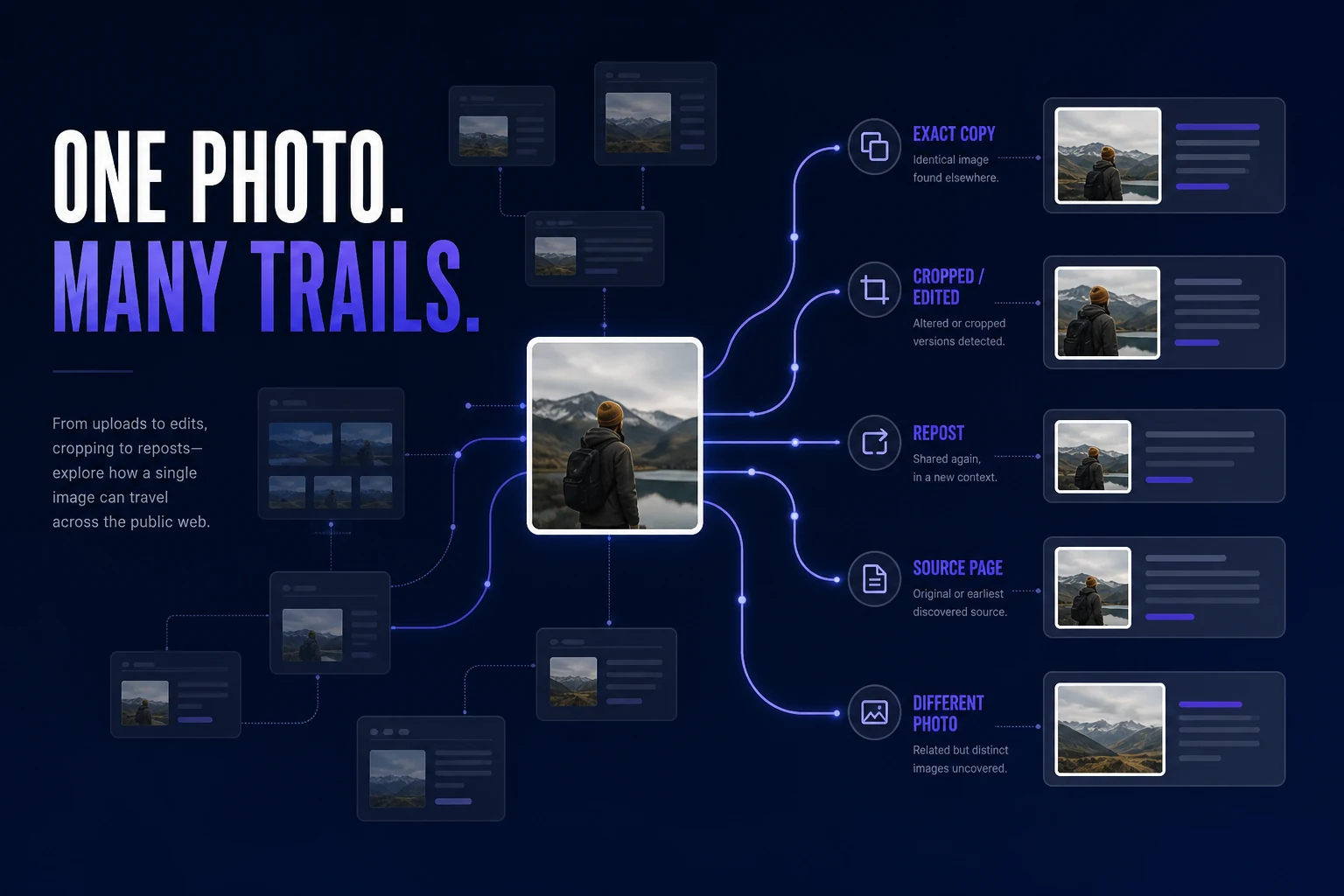
Trying to find where a photo of you appears online? Learn how to search for exact copies, modified versions, different photos of your face, and the webpages behind the results.
7 min read
Guides
Best Reverse Face Search Engines in 2026
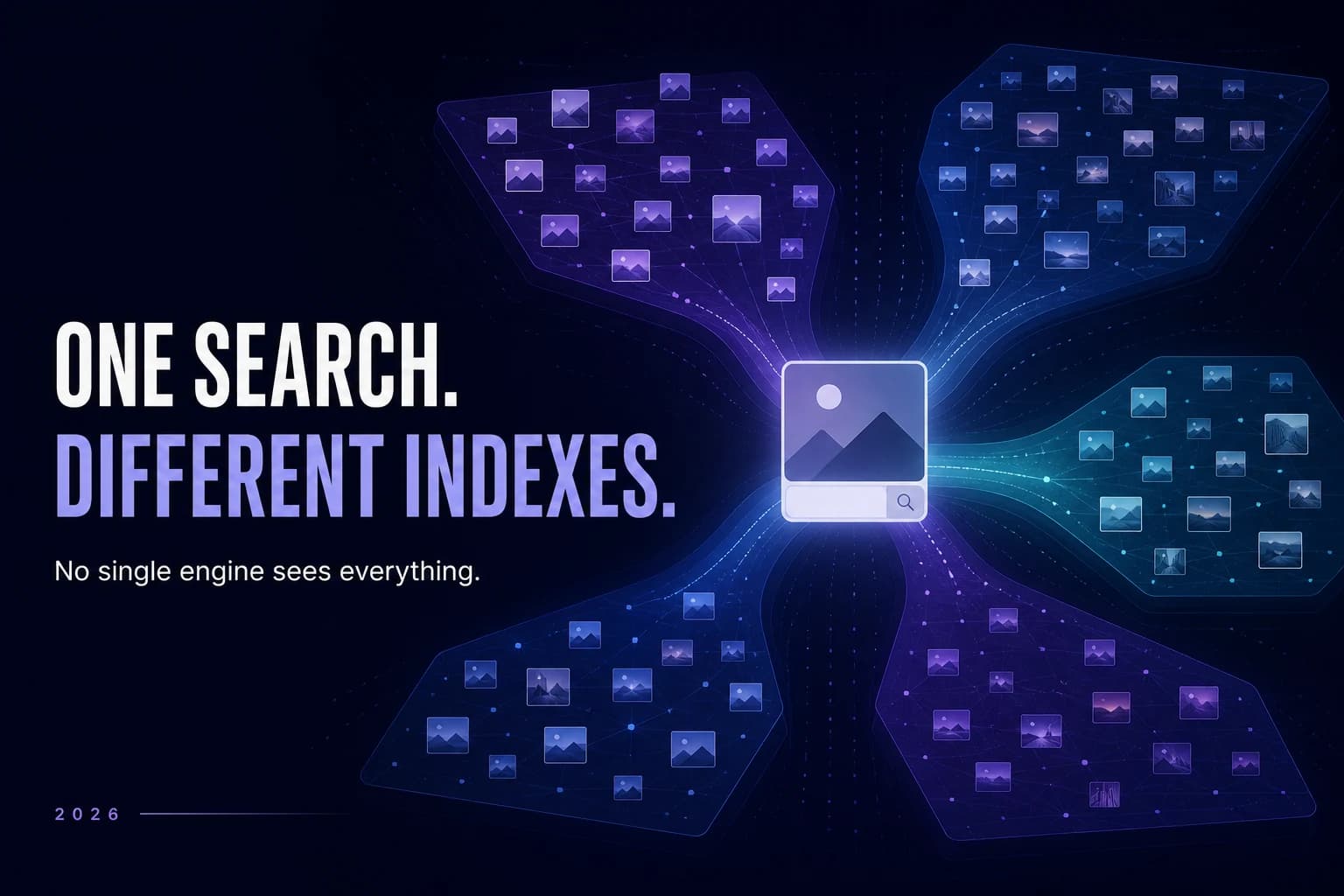
Reverse face search engines don't all search the same sources or present results the same way. Here's how the major face-search options in 2026 differ — and which type of tool may fit what you're trying to find.
9 min read