
Guides
What Makes a Good Photo for Reverse Face Search?
A clear photo gives facial recognition more useful information to compare. Learn which photos make the best starting point for reverse face search — and which common problems can make searching harder.

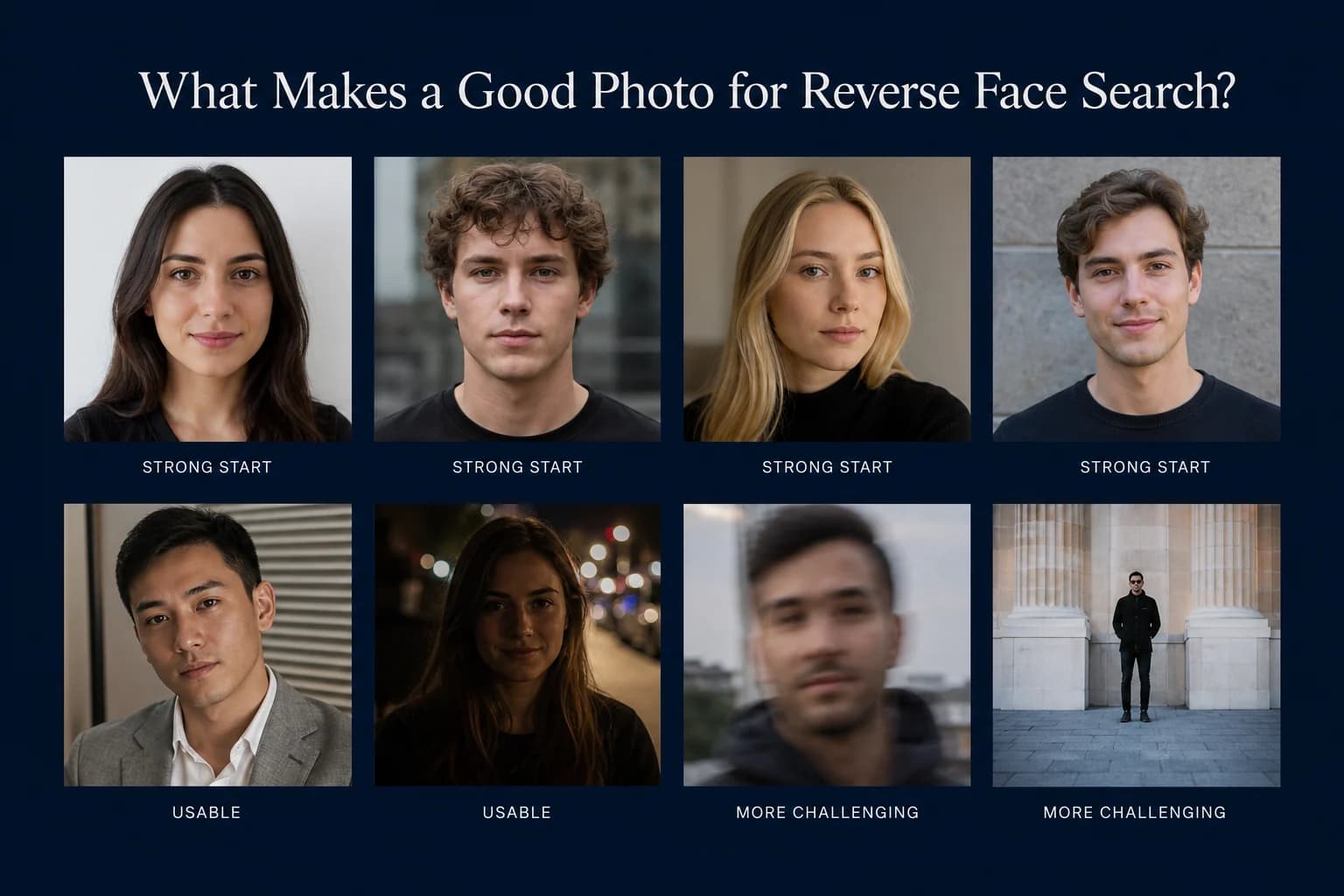
Start with the clearest view of the face you have.
Reverse face search doesn't require a studio portrait. Modern facial-recognition systems are designed to compare faces across changes in lighting, expression, pose, age, and image quality.
But the photo you start with still matters.
A clear, reasonably large, unobstructed face gives the recognition system better visual information to work with. A tiny face buried in a group photo, heavy blur, extreme angle, or major obstruction can make that job harder.
So what should you upload?
The best starting photo is surprisingly simple
If you have several photographs to choose from, start with the boring one.
Seriously.
A clear portrait where the face is reasonably large, well lit, in focus, and visible from the front gives a face-recognition system a straightforward source image to process.
You don't need a passport photo. You don't need perfect symmetry. And you don't need a completely expressionless face.
You're simply trying to avoid making the system's first job unnecessarily difficult.
A strong starting image usually has:
a clearly visible face;
enough resolution to preserve facial detail;
reasonable lighting;
little or no motion blur;
minimal obstruction;
a frontal or moderately angled view.
Think clear, not perfect.
1. Face size matters
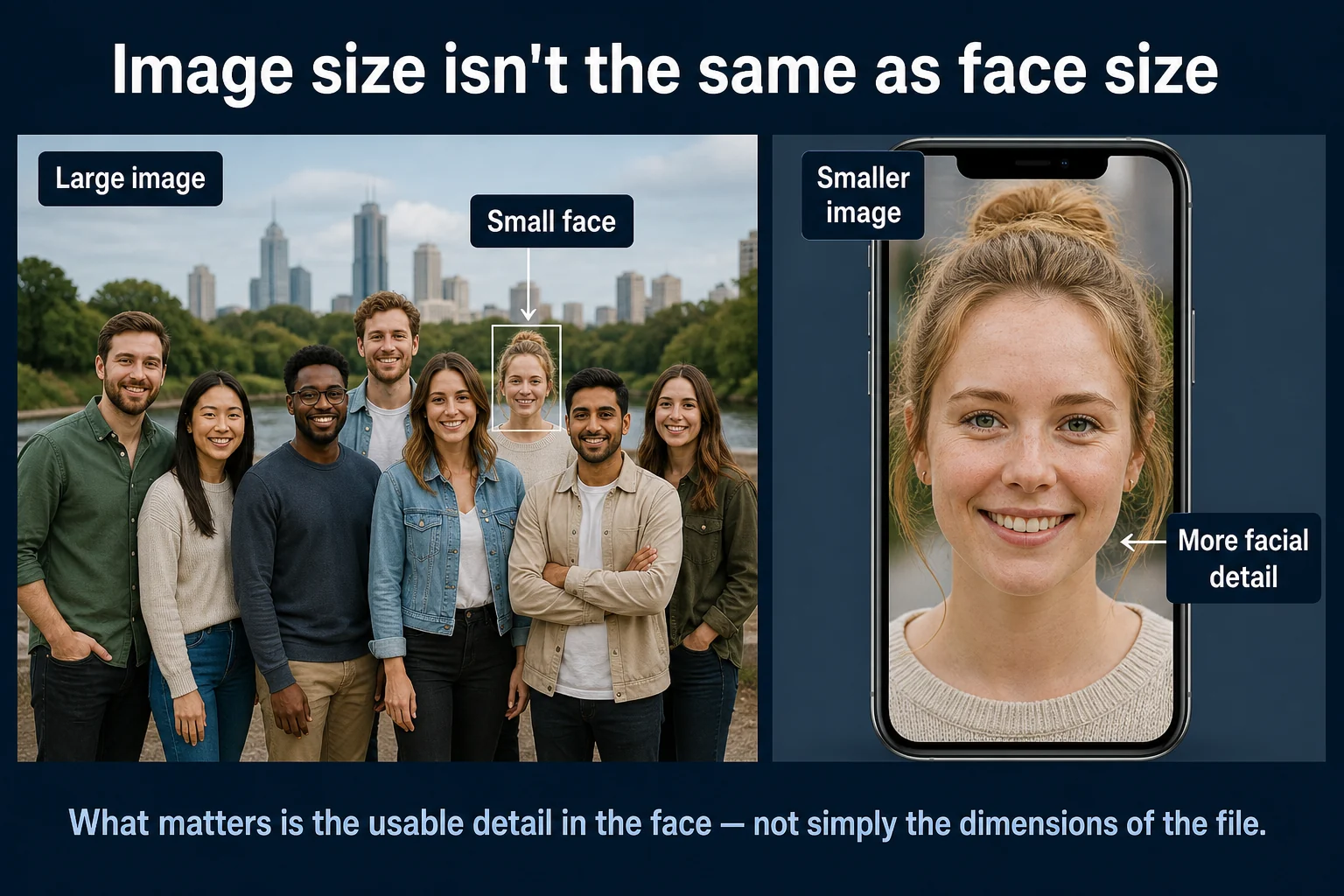
A 4,000-pixel-wide photograph isn't necessarily a good search image.
What matters is how much useful facial information exists inside it.
Consider a high-resolution group photo containing twelve people. The overall image may be enormous while each individual face occupies only a tiny portion of it.
Compare that with an ordinary phone portrait where one face fills a substantial part of the frame. For facial comparison, the second image may provide much more useful information.
This is also why cropping can sometimes help: you're removing irrelevant portions of the image and giving the system a clearer source face to process.
2. Frontal is best — but angled doesn't mean useless
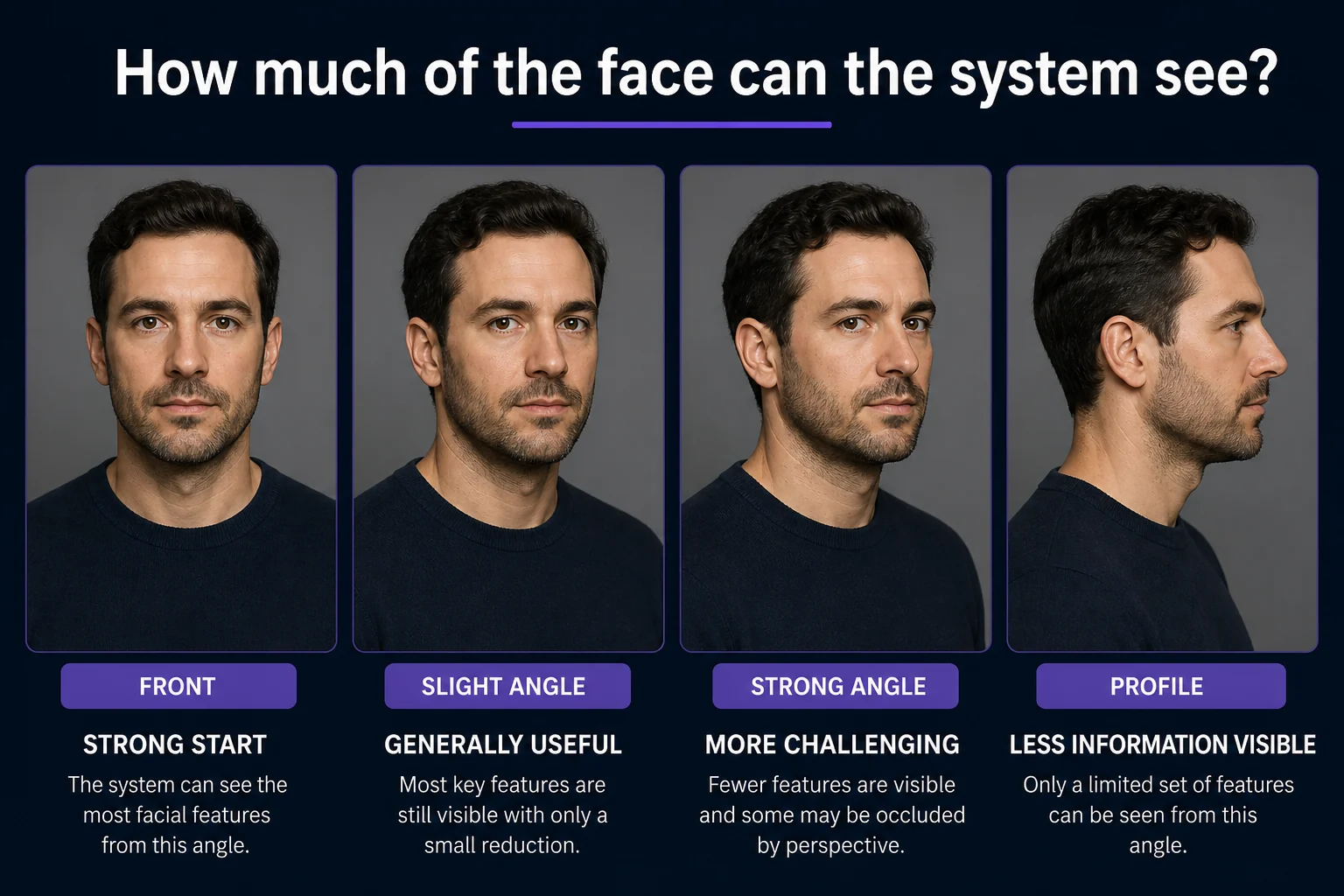
A straight or mostly frontal photograph is an excellent starting point because more of the face is visible and facial features are presented with less distortion from perspective.
But don't interpret that as: “The person must be staring directly into the camera.”
Modern facial-recognition models are designed to tolerate some variation in pose. A photograph taken at a slight angle may still be perfectly useful.
As the face rotates farther away from the camera, however, increasingly less information is visible. Eventually, a strong side profile gives the system a considerably different view from a frontal face.
So rather than GOOD vs. BAD, think:
Frontal → strongest starting point
Slight angle → generally useful
Strong angle → more challenging
Profile → potentially less useful
3. Good lighting preserves facial information
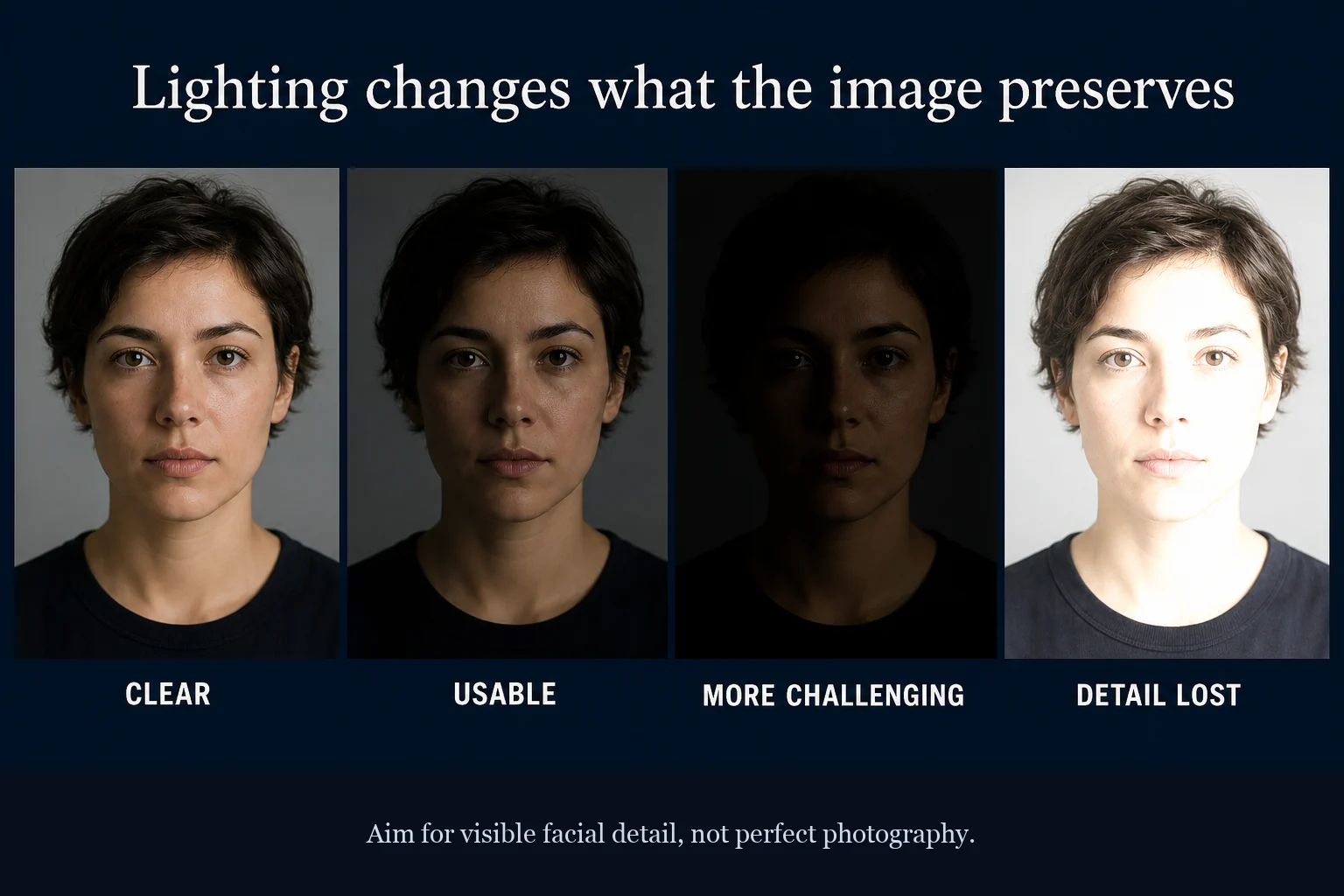
You don't need professional lighting. You do need enough light for facial features to remain visible.
Very dark images can conceal detail. Harsh directional lighting can put portions of the face into deep shadow. Severe overexposure can remove detail in the opposite direction.
Ordinary indoor lighting, daylight, and typical smartphone photographs can all provide useful source images when the face remains clearly visible.
The goal isn't to make the photograph beautiful. It's to make the face readable.
4. Sharpness matters more than beauty
A little phone-camera noise isn't necessarily a problem. A photograph doesn't need to be professionally retouched, perfectly exposed, or shot with an expensive camera.
But detail has to exist in the image.
Heavy motion blur, missed focus, aggressive compression, or an extremely low-resolution crop can erase information that can't simply be recovered by the recognition model.
There's an important principle here: making a blurry image larger doesn't recreate facial detail that wasn't captured.
Upscaling can increase the dimensions of an image. It cannot magically reconstruct the exact original facial information that was lost.
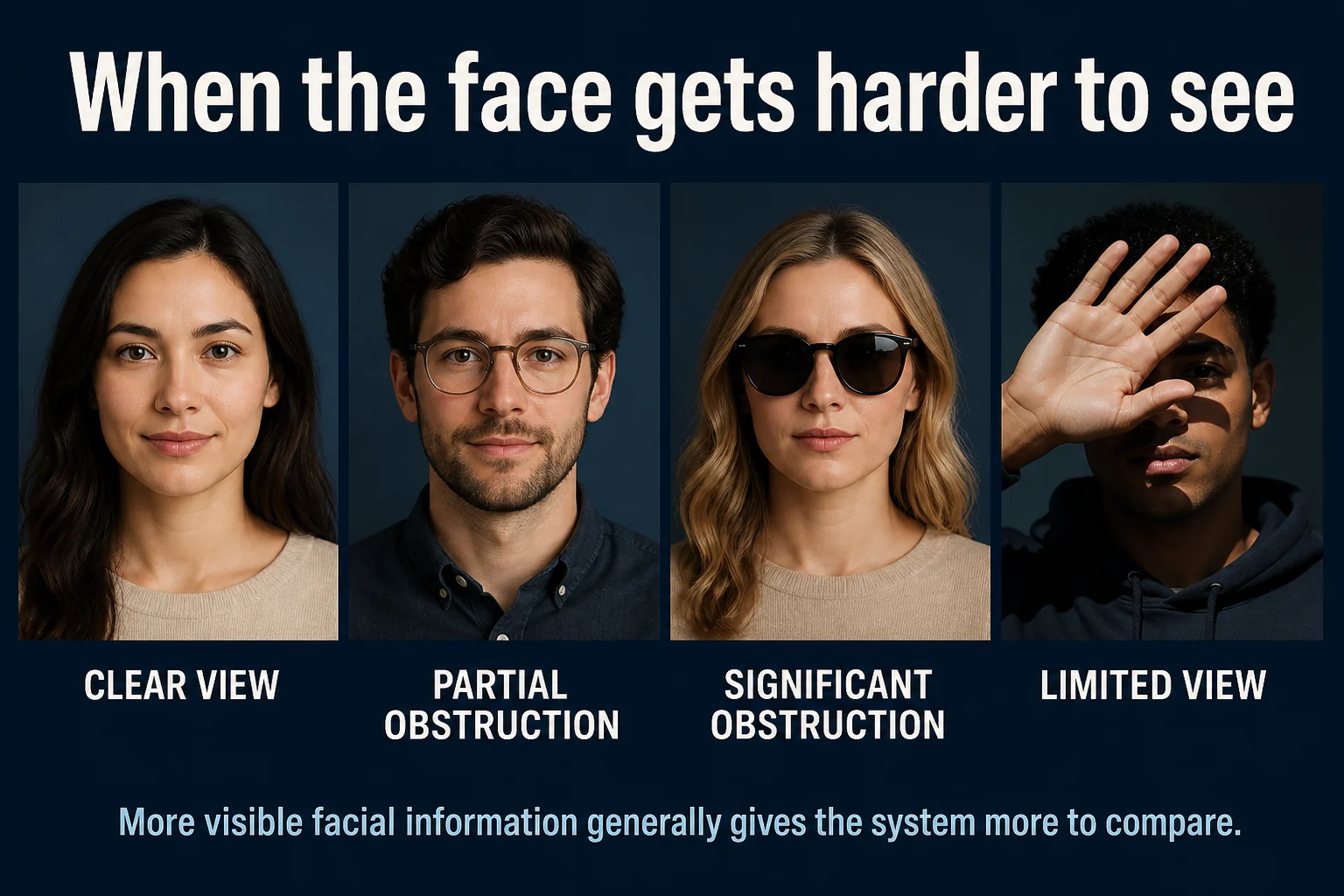
5. Watch for obstructions
Anything covering substantial portions of the face reduces what is available for comparison.
That can include:
large sunglasses;
masks;
hands covering the face;
hair obscuring major features;
hats casting deep shadows;
objects crossing the face.
Again, this isn't binary.
Glasses don't automatically make a photograph unusable. Neither does facial hair, makeup, or a hat.
The question is simply: how much useful information about the face remains visible?
6. Expression usually isn't your biggest problem
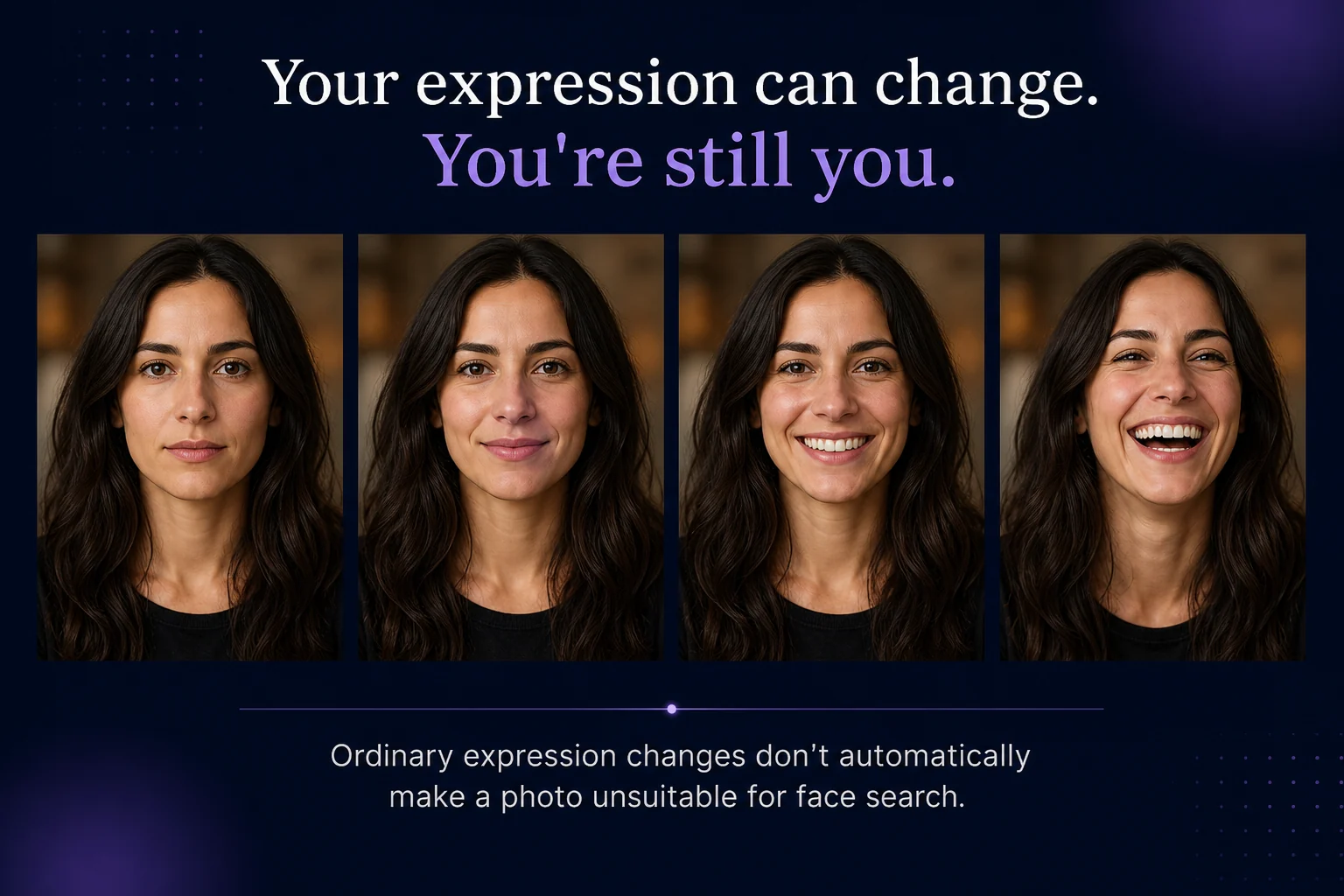
This deserves a section because many people assume they need a mugshot. You don't.
A neutral expression makes for a simple source image, but people don't stop being recognizable because they smile.
Modern face-recognition models are intended to represent facial characteristics across ordinary changes in expression. That means a natural smile can still provide a useful search photo.
Extreme expressions can alter the visible geometry of the face more substantially, so if you have a clearer alternative, use it. But don't reject an otherwise excellent photograph simply because you're smiling.
7. Age, hair and appearance can change
The photograph you search with doesn't necessarily need to look exactly like every photograph you hope to find.
People age. Hair gets longer, shorter, lighter or darker. Facial hair appears and disappears. Makeup changes. Weight changes. Styles change.
Face-recognition systems are designed to compare facial characteristics rather than simply matching hairstyles or clothing.
But significant appearance changes — especially across long periods of time — introduce more variation. That's another reason searching with more than one source photograph can be useful.
If you're looking for your own public photos across many years, consider searching with both a recent photograph and an older one.
8. Don't depend on one upload
This should probably be the biggest practical takeaway.
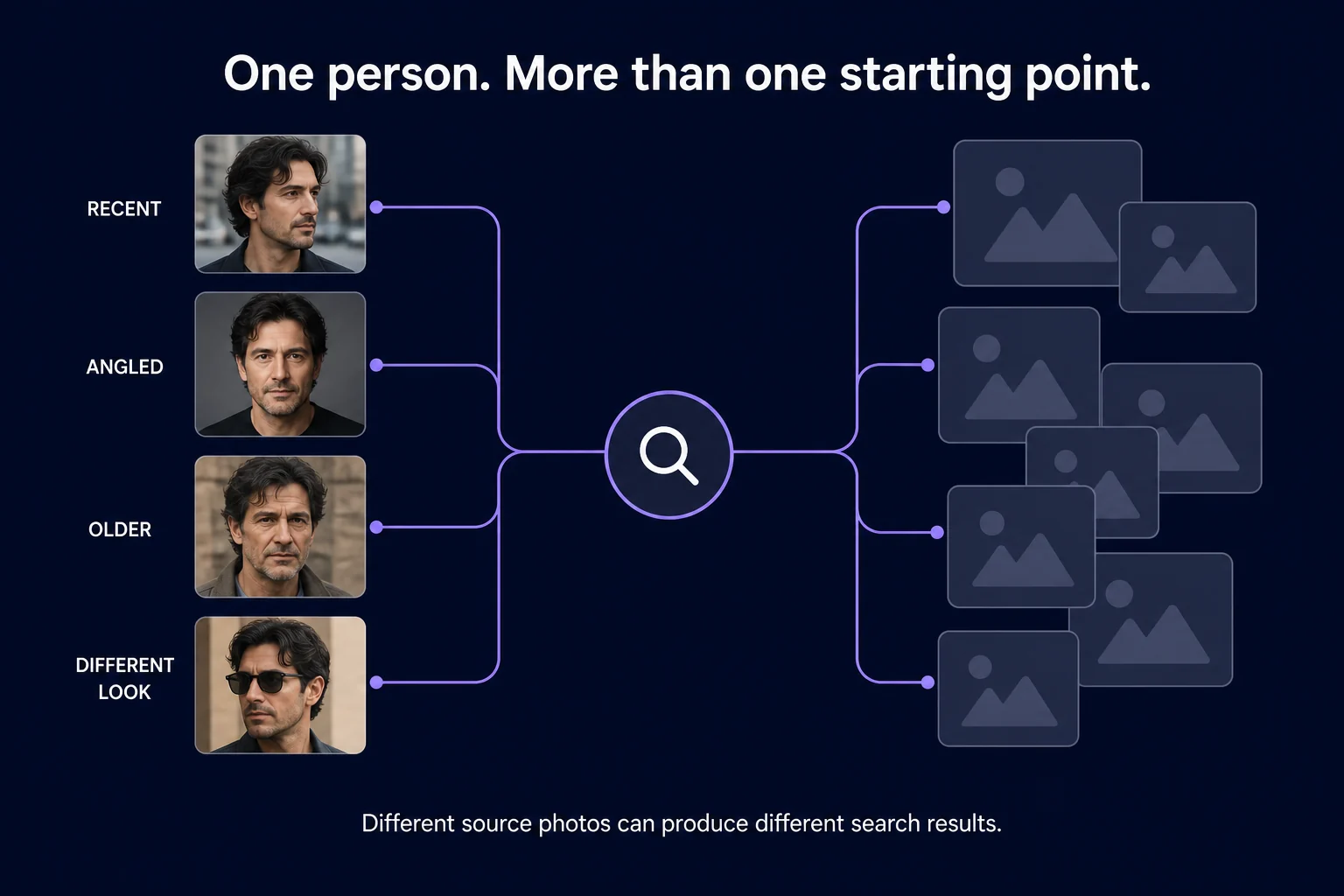
There isn't necessarily one universally “best” photograph.
Different source images can produce different candidate results.
If you're searching for your own face, consider running searches using photographs that vary in meaningful ways:
Search 1: clear recent portrait
Search 2: different angle
Search 3: older photograph
Search 4: substantially different appearance
This doesn't guarantee more results. It simply gives the search system different representations to begin from.
For a practical walkthrough of searching your own face, see How to Search the Internet for Your Own Face.
What about group photos?
A group photograph isn't automatically unusable.
The important question is whether the system can identify the face you intend to search and whether that face contains enough useful detail.
If you have the option, though, crop around the intended person first or use a clearer individual photograph. That removes ambiguity and makes your search input simpler.
When searching images containing other people, make sure you have the appropriate permission or lawful reason to use the photograph.
Should you edit the photo first?
Usually, less is more.
Basic cropping can be useful. Correcting an image that's extremely dark may make the face easier to see.
But you generally don't need to:
sharpen the image aggressively;
smooth the skin;
reshape facial features;
apply beauty filters;
heavily alter contrast;
run the face through generative enhancement.
In fact, aggressive editing can modify the very facial information you're trying to search.
Start with the most natural, clear version of the photograph you have.
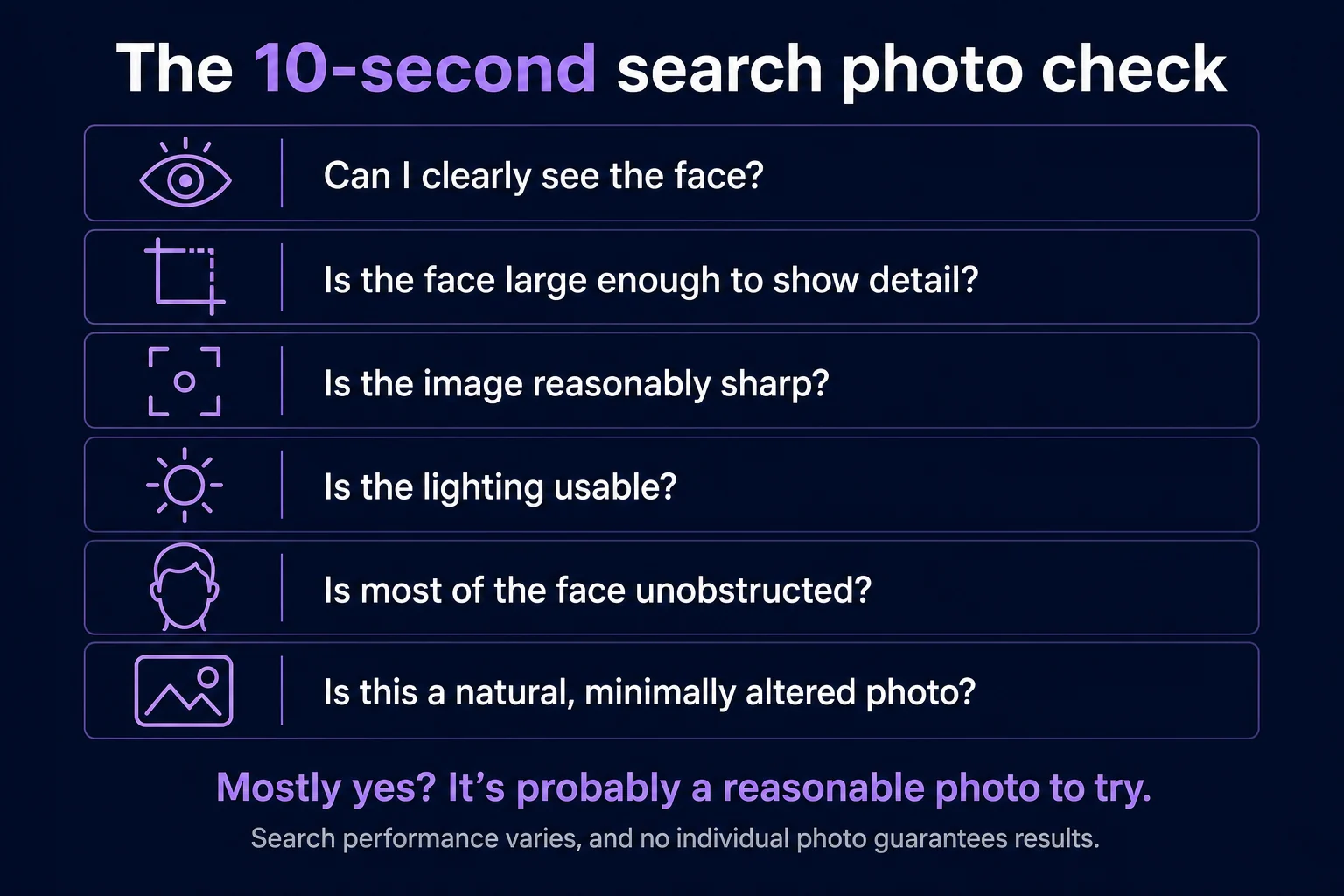
The quick photo checklist
Prefer
Face reasonably large in frame
Clear facial detail
Frontal or moderate angle
Normal, usable lighting
Little motion blur
Minimal obstruction
Natural, minimally altered image
Don't panic about
Smiling
Ordinary eyeglasses
Different hairstyle
Makeup
Facial hair
Normal aging
A photo that isn't professionally taken
Consider another photo when
Face is extremely small
Image is heavily blurred
Face is mostly in darkness
Large portions of the face are covered
View is an extreme profile
Heavy filters substantially change facial appearance
Clear beats perfect
You don't need a professional headshot to run a reverse face search.
Start with a photograph that gives the recognition system a clear view of the face. If you have several good options, try more than one.
And don't assume an unsuccessful search means you chose the wrong photograph. Search quality and search coverage are separate things. Even an excellent source image can't retrieve a photograph that isn't available to the search system's index.
Want the technical foundation? Read How Reverse Face Search Works. Curious why a different photograph can still match? See Reverse Face Search vs. Reverse Image Search.
The goal isn't to create the perfect biometric photograph. It's much simpler: give the system enough clear facial information to make a useful comparison.
Related Articles
Guides
Best Reverse Face Search Engines in 2026
Reverse face search engines don't all search the same sources or present results the same way. Here's how the major face-search options in 2026 differ — and which type of tool may fit what you're trying to find.
9 min read
Face Search
How Accurate Is Reverse Face Search?
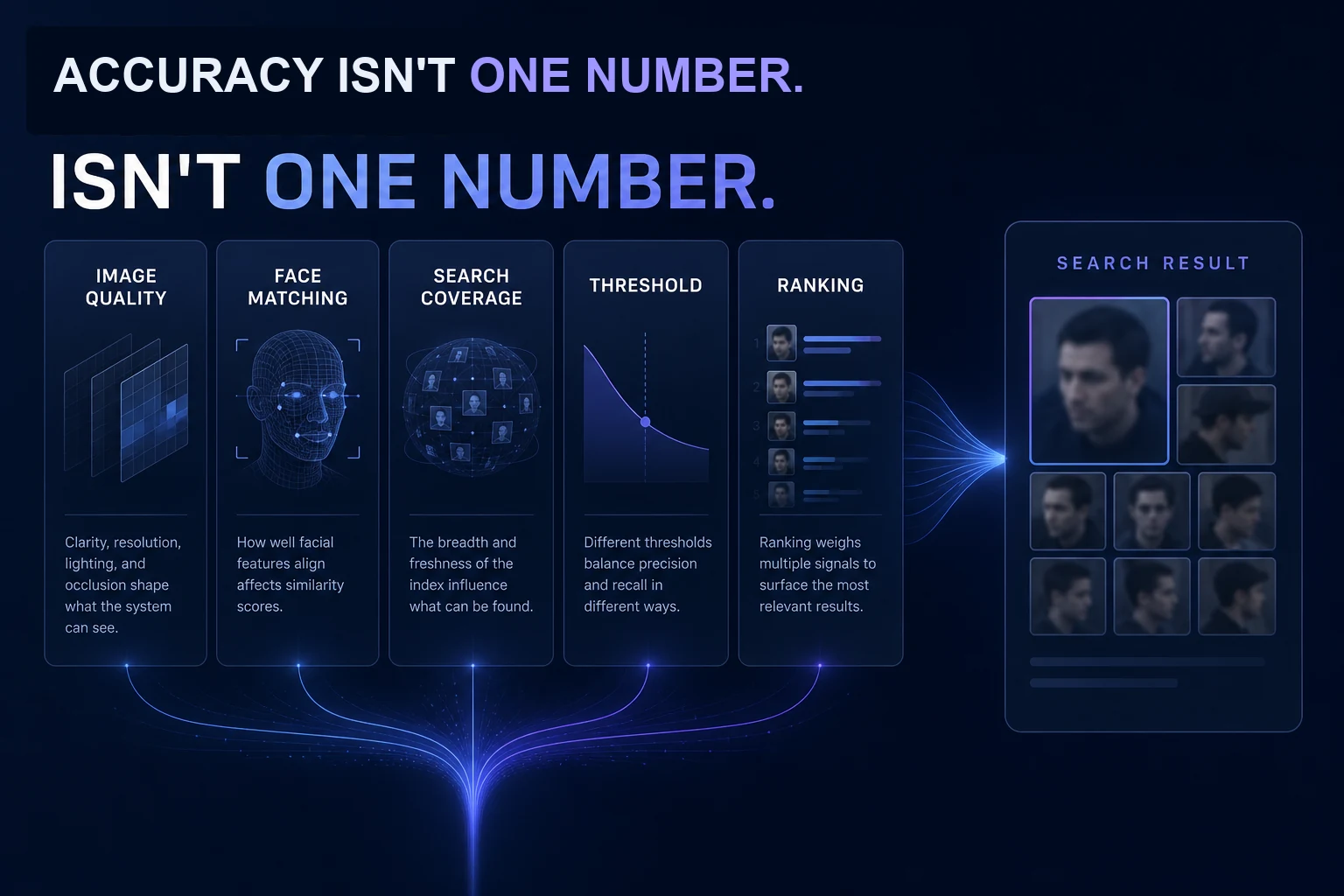
Modern facial recognition can be remarkably capable, but reverse face search accuracy isn't one simple percentage. Image quality, pose, thresholds, search coverage, and false matches all affect what you actually see.
7 min read
Face Search
No Face Search Results? What That Actually Means
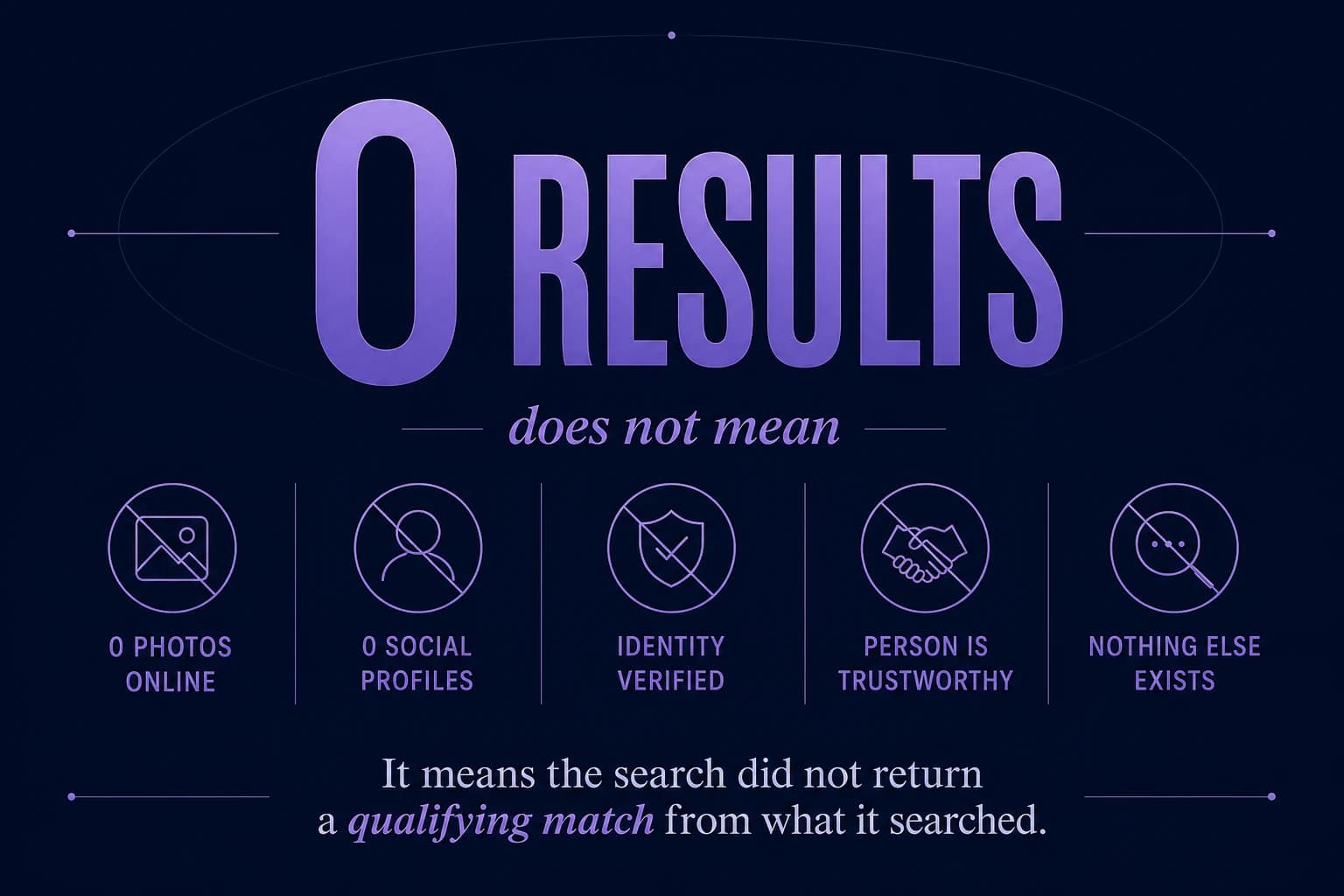
A reverse face search returned nothing. Does that mean the person has no other photos online? Not necessarily. Here's what zero results actually tells you — and what it doesn't.
7 min read