
Guides
How to Search the Internet for Your Own Face
Want to know where photos of you appear online? Learn how to search for your own face, choose better search photos, review possible matches, and understand the limits of visual search.


Photos can travel farther than you realize. An old profile picture may have been reposted. A public photo could appear on a page you've forgotten about. Another image of you may be indexed somewhere you never thought to look.
Searching the internet for your own face gives you another way to explore that public footprint.
Instead of searching only for your name, username, or other text associated with you, visual search lets you begin with something different: your photo.
But there isn't one search that sees the entire internet, and different visual-search technologies look for different things. Getting useful results means knowing which tools to use, what photos to search with, and how to interpret what comes back.

Start with more than your name
The traditional way to look for yourself online is to search your name. That's still worth doing.
Try combinations of information you've publicly associated with yourself, such as your name, usernames, professional profiles, websites, or other identifiers you already know are public.
But text searches have an obvious limitation: a photograph doesn't necessarily contain your name.
An image of you could appear on a page with a misspelled name, an old username, no name at all, or text that a conventional search query would never connect to you.
That's where visual search adds another layer. Rather than asking a search engine to find words associated with you, you can give it an image to search from.
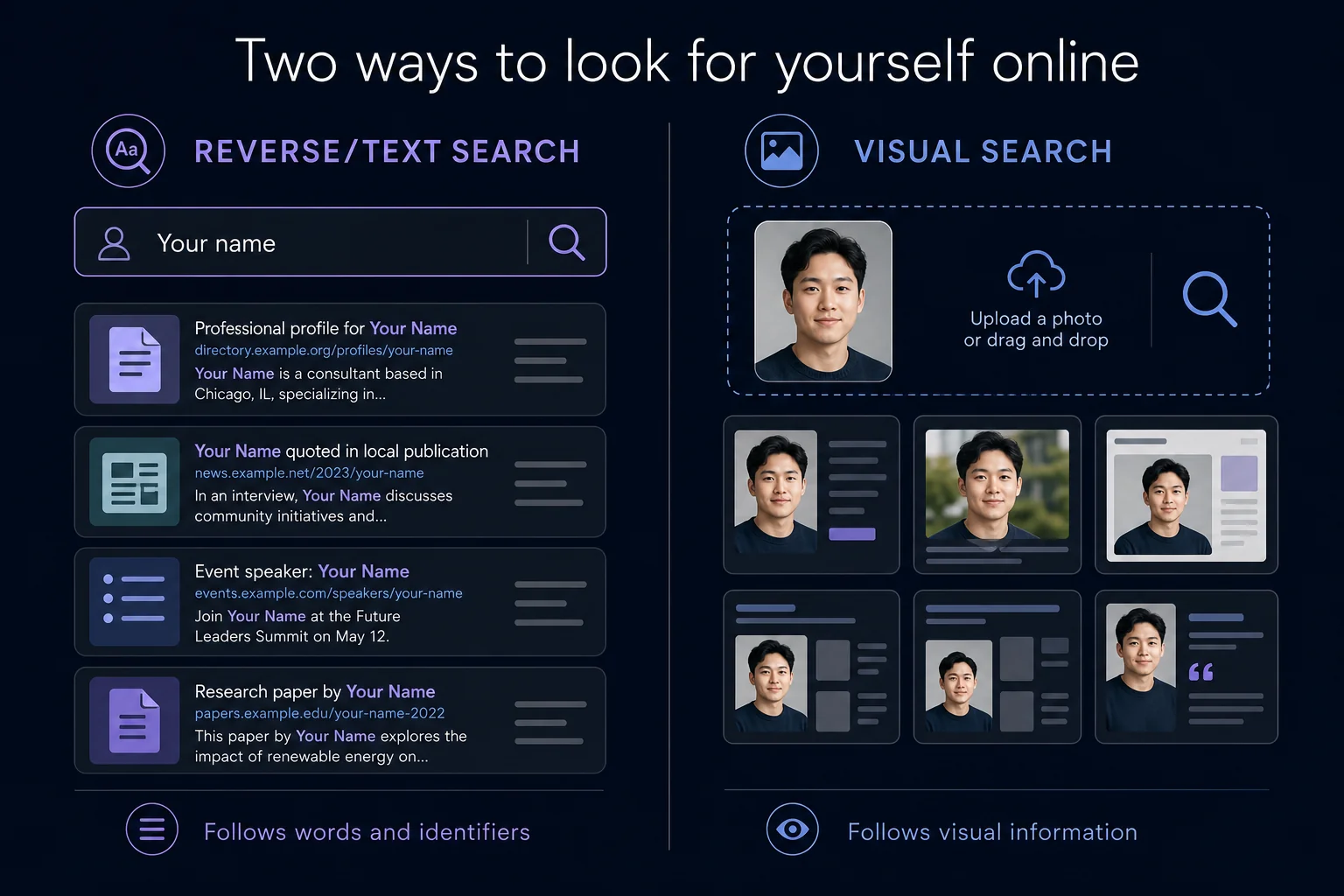
Use both reverse image search and reverse face search
These two technologies overlap, but they aren't interchangeable.
A reverse image search can help locate copies or variations of a photograph you already have. If an old profile photo was reposted elsewhere, for example, image search may connect those copies.
A reverse face search approaches the problem differently. It compares the face itself, allowing a search system to potentially surface entirely different photographs containing a visually similar face.
If you're trying to understand your own public image footprint, both approaches can be useful. You might discover a copied photograph with traditional image search and an entirely different photograph with face search.
Not sure how they differ? Read Reverse Face Search vs. Reverse Image Search.
Step 1: Choose a strong search photo
Your search is only as useful as the visual information you give the system.
Start with a recent, clear photograph where:
your face is reasonably large in the frame;
facial features are visible;
lighting isn't excessively dark or blown out;
the face isn't heavily obscured;
image quality is reasonably sharp.
A straightforward front-facing portrait is a good starting point.
That doesn't mean other photos can't work. Face recognition systems can handle some variation in angle, expression and lighting. But giving the system a clear source image removes unnecessary difficulty from the search.
Don't search only one photo
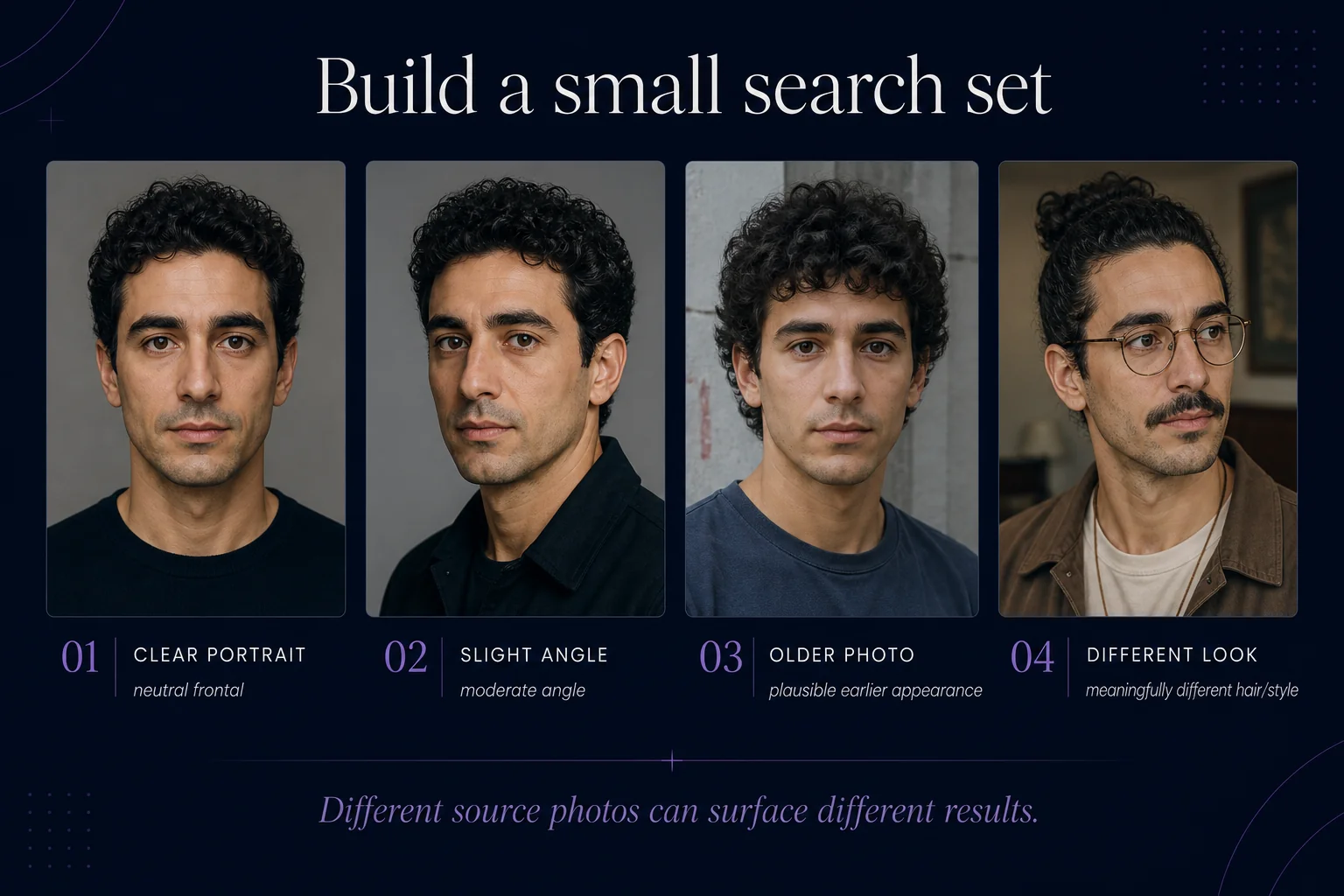
If you want a broader picture of what's discoverable, try several different photographs of yourself.
For example:
Photo A: clear frontal portrait
Photo B: slight angle
Photo C: older photograph
Photo D: different hairstyle or appearance
Different source photos can produce different results.
Step 2: Search for exact and modified copies
Start with conventional reverse image search. This is particularly useful for photographs you've previously posted publicly.
A reverse image search may help locate:
copies of the same image;
cropped or resized versions;
reposts on other webpages;
modified versions of the original;
pages using the photograph.
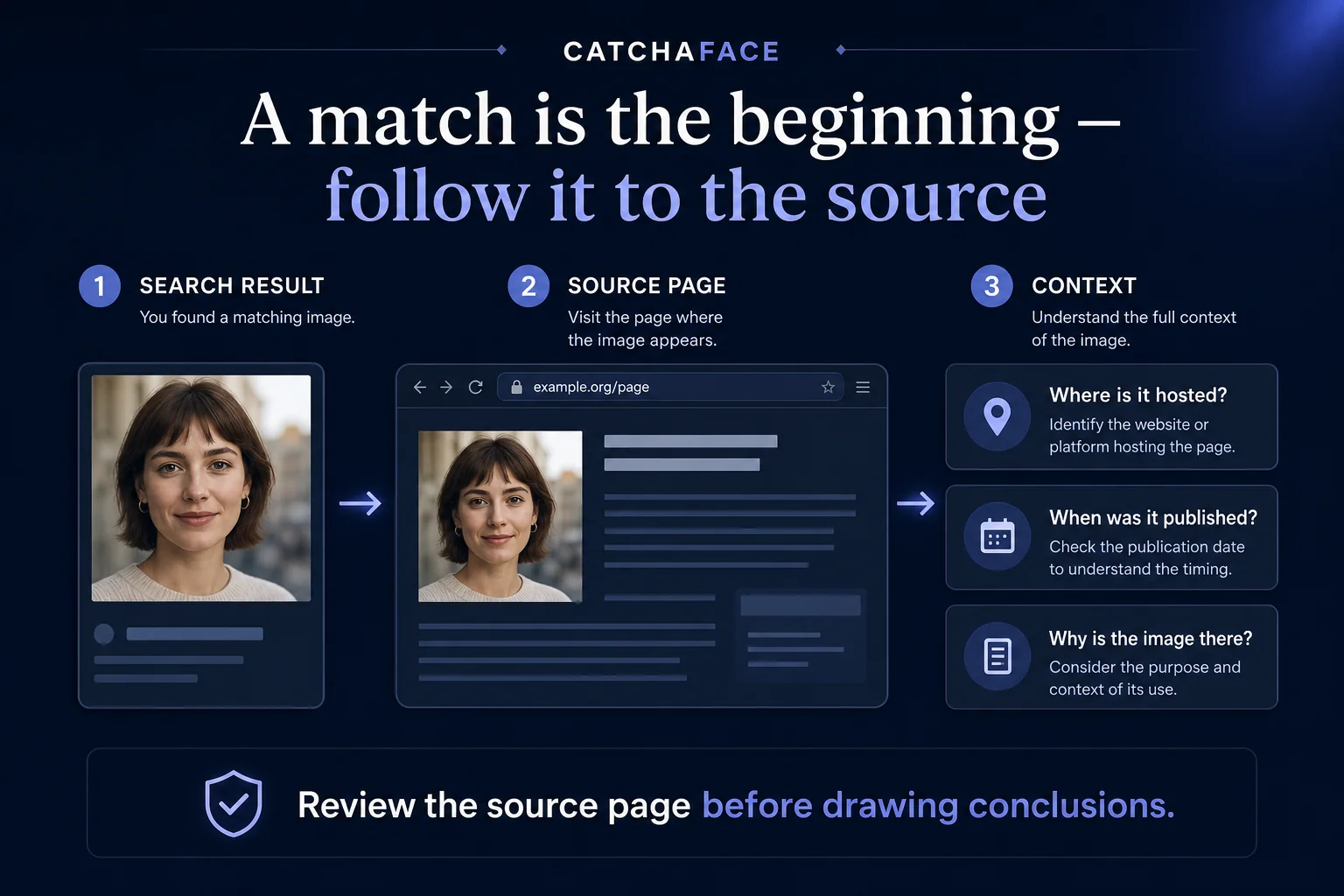
If you find a result, don't stop at the thumbnail. Open the source page and understand why the image is there. The page itself provides context that an image result alone cannot.
And remember: finding nothing does not prove the photo isn't online. Search engines do not index every publicly accessible image.
Step 3: Search for different photos of your face
Next, a reverse face search can look beyond copies of the original photograph.
Instead of requiring another image to closely resemble the entire source photograph, face search compares facial representations. That creates the possibility of finding an image taken on another day, from another camera, against another background.
CatchAFace is built for this type of visual discovery across publicly indexed imagery.
Upload a clear photo, review the possible matches returned by the search, and pay attention to both visual similarity and the source where each image was found.
Want the technical foundation? Read How Reverse Face Search Works.
Step 4: Review the source, not just the face
A thumbnail is only the beginning. When you find an image that appears to show you, examine the page where it appears.
Ask:
What website hosts the image?
Is this the original source or a repost?
Is your name associated with it?
When was the page published?
Is the image still publicly accessible?
Do you recognize where the photograph originated?
The source can tell you much more than a similarity score alone.
An unexpected image doesn't necessarily mean something malicious happened. It may be an old profile, event page, article, cached reference, public directory, repost, or another context you've simply forgotten about.
Step 5: Repeat the search periodically
The public web changes.
New pages are published. Existing pages disappear. Search indexes change. Images can become discoverable after your original search.
If understanding your public image footprint matters to you, a single search gives you a snapshot, not a permanent answer. Repeating a search later may produce different results.
CatchAFace monitoring can repeat facial searches over time and surface newly discovered possible matches, rather than requiring you to manually run the same search again and again. Learn more about CatchAFace Monitoring.
Step 6: Decide what you want to do with what you find
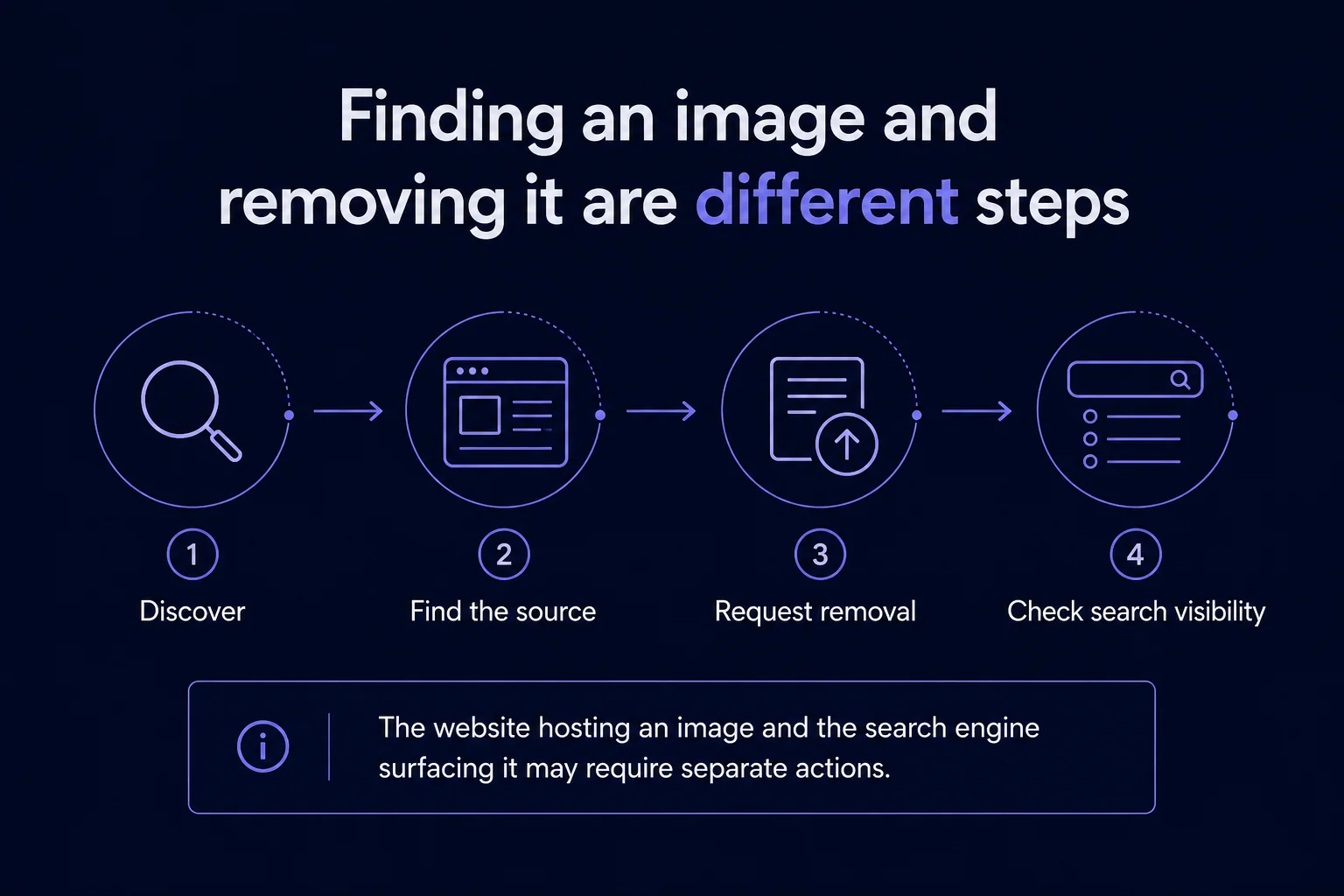
Finding an image and removing an image are two separate problems.
CatchAFace and other visual search systems can help you discover publicly indexed imagery. They generally do not control the webpage hosting that image.
If you find a photograph you want removed, the first question is: who actually hosts it?
Depending on the situation, your next step may involve:
removing the image from an account you control;
contacting the website that hosts the image;
using the site's privacy or removal process;
requesting removal from an applicable search engine after the source has changed;
using a face-search provider's opt-out process where one is available.
CatchAFace maintains Face Search Opt-Out Guides with instructions for major face and image-search services.
What if you can't find yourself?
Finding no results can mean many things.
Your photos may not be publicly accessible. The relevant pages may not have been indexed. The particular search provider may not cover those sources. Your search image may be difficult to compare. Or there simply may not be useful matches available.
What it doesn't mean is: “There are definitely no other photos of me online.”
No reverse image or reverse face search system represents the entire internet.
What searching for yourself can actually tell you
Searching for your own face can help you better understand your public visual footprint.
You might:
rediscover photographs you already knew existed;
find an old image that has been copied elsewhere;
discover a different publicly indexed photograph;
or find nothing useful at all.
All of those are possible outcomes.
The value of visual search isn't that it can provide a complete inventory of your face across the internet. No search engine can promise that.
It's that images provide another way to explore the public web — one that doesn't depend entirely on names and words.
Search what words can't
Names change. Usernames change. Photos get separated from the pages where they originally appeared.
Visual search provides another way to explore what's publicly discoverable about your own online image footprint.
Start with a good photograph. Use more than one search method. Review the source behind every interesting result. And remember that what a search engine finds is only a window into the public web — not the whole thing.
Search your face when you're ready to begin.
Related Articles
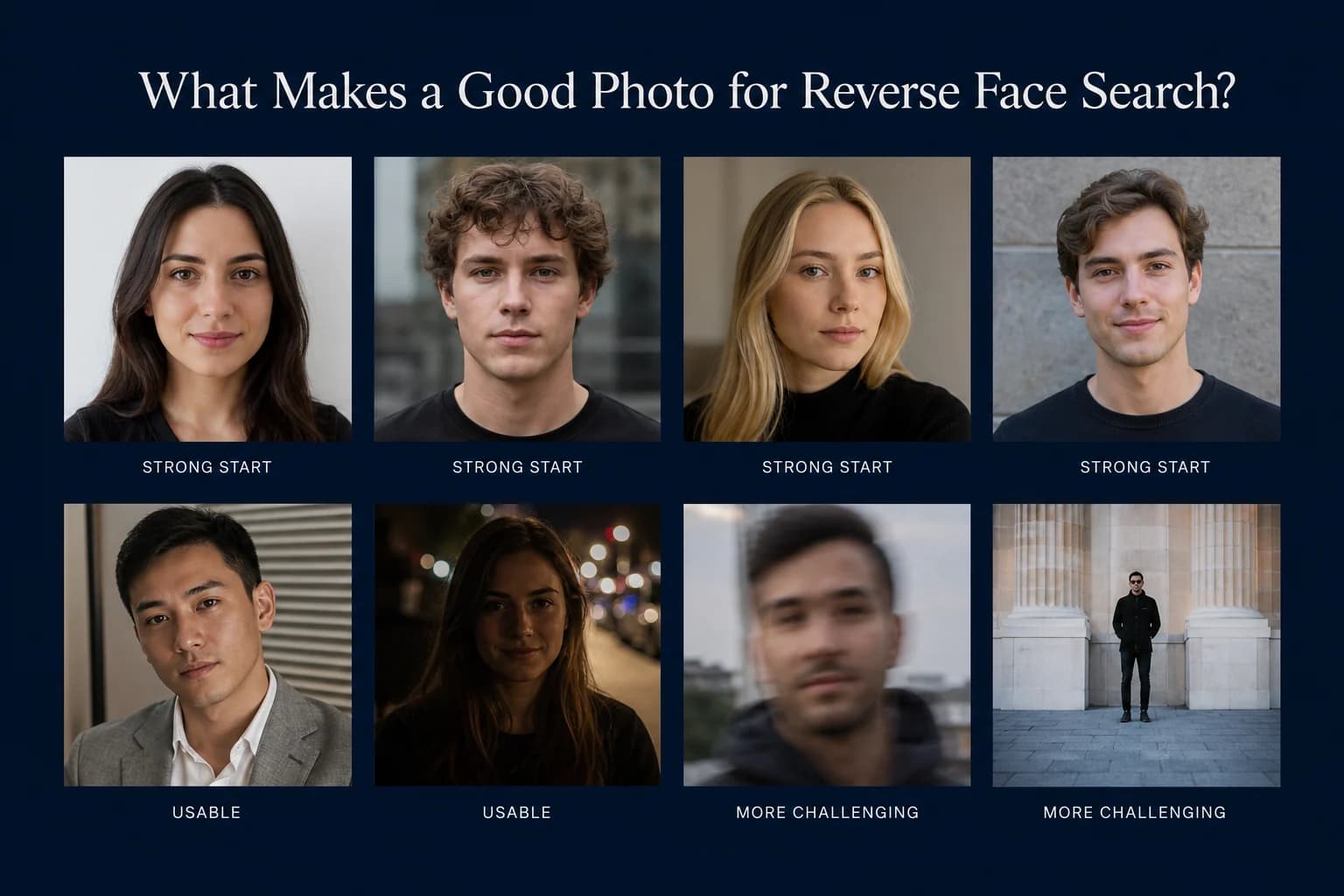
Guides
What Makes a Good Photo for Reverse Face Search?
A clear photo gives facial recognition more useful information to compare. Learn which photos make the best starting point for reverse face search — and which common problems can make searching harder.
7 min read
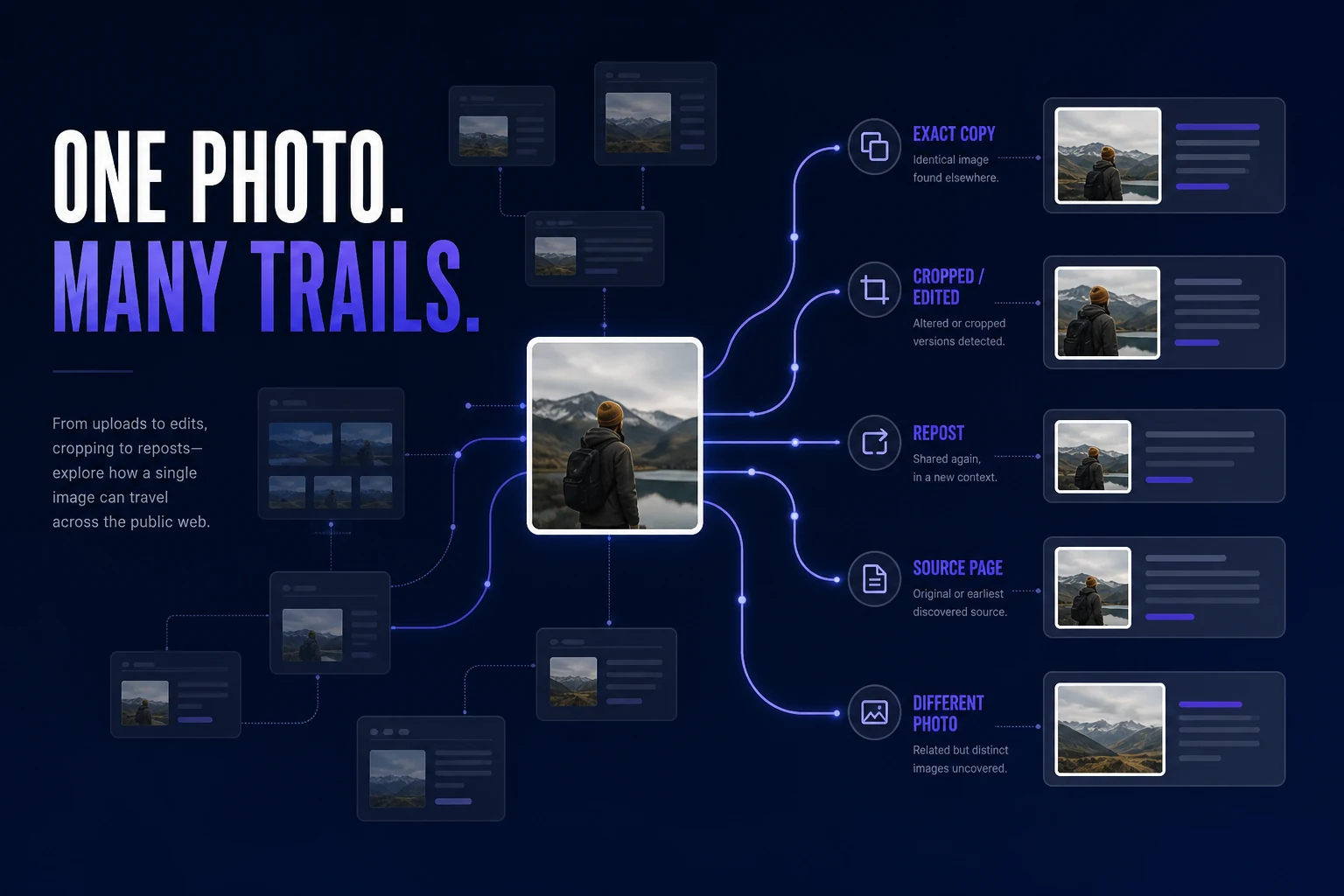
Guides
How to Find Where Your Photos Appear Online
Trying to find where a photo of you appears online? Learn how to search for exact copies, modified versions, different photos of your face, and the webpages behind the results.
7 min read
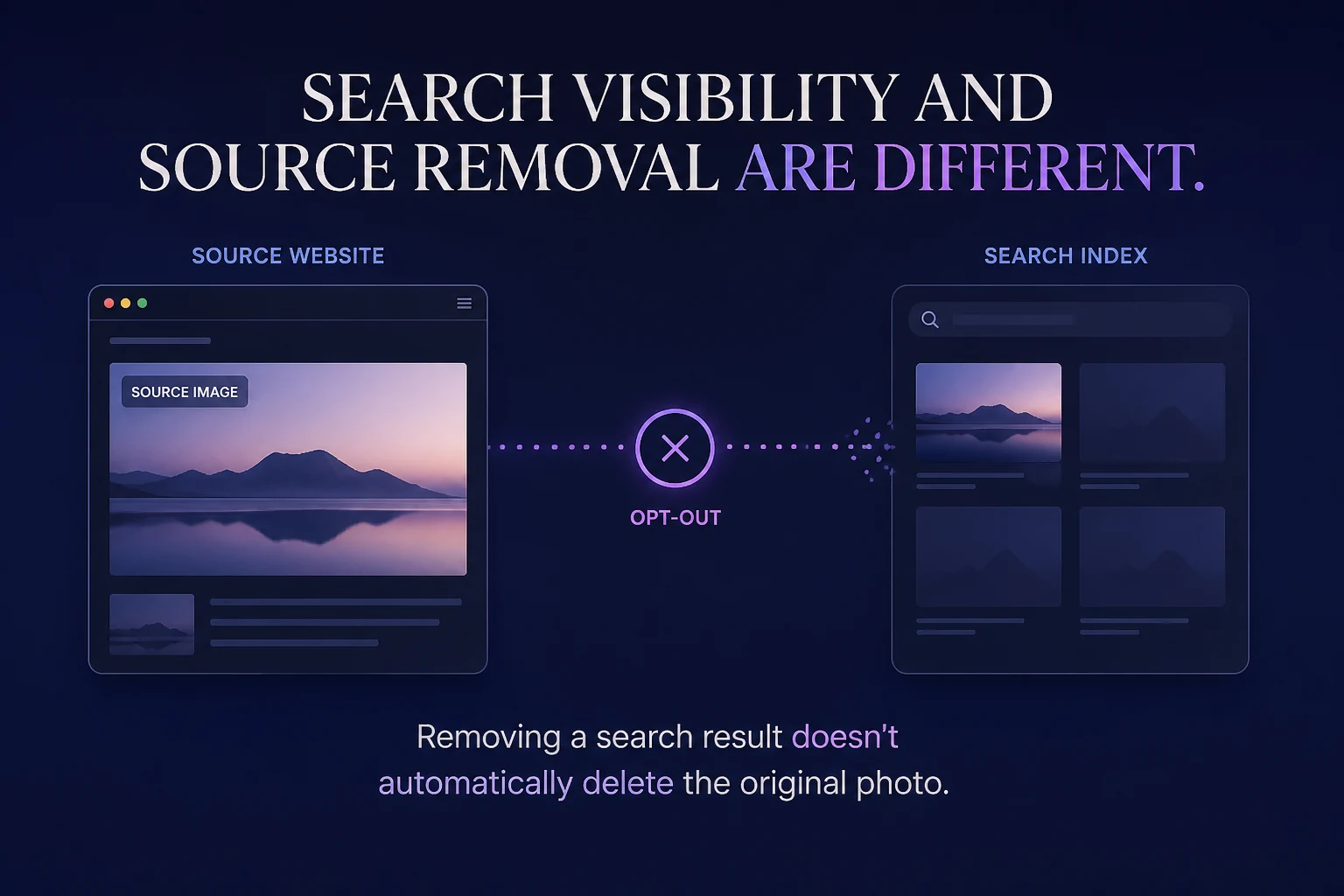
Privacy
How to Remove Your Face From Reverse Face Search Engines
Reverse face-search engines don't all use the same opt-out process. Learn how facial-search removal works, what an opt-out actually removes, and why the original image may require separate action.
11 min read